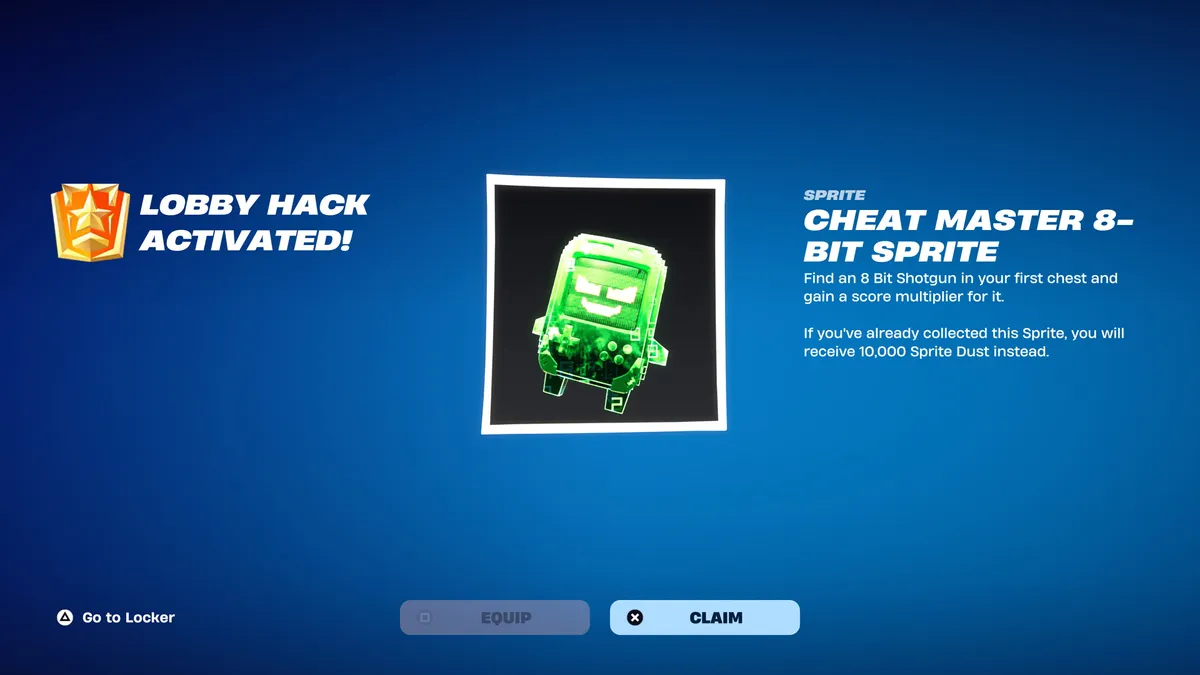
If you’ve spotted a mysterious “…/ admin panel” tab in the corner of your Fortnite lobby and wondered what it does, you’re looking at one of Chapter 7 Season 4’s best freebie systems. Fortnite admin panel codes unlock free XP, Sprite Dust, rare Cheat Master Sprites, and fun lobby transformations — no purchase required. Here’s the full rundown of working codes, how to redeem them, and what to do if they stop working.
All Working Fortnite Admin Panel Codes
Fortnite admin panel codes were introduced with the Override season, tying Lobby Hacks into the season’s gaming theme. Open the admin panel from the lobby screen and type in a secret code for an instant reward — often a powerful Sprite or a handy gizmo. Currently reported active codes and their rewards include:
| Code | Reward |
|---|---|
GATHERANDCRAFT | Cheat Master Bush Sprite (requires completing all Wrixel/Ziggy Part 1 story quests first) |
YOURTHOUGHTSAREMINE | 5,000 Sprite Dust (requires completing all Geno Part 1 story quests first) |
CHATWHEREDOYOUFINDTHEKEY | 2 Extraction Accelerators |
INVALIDCHEAT | 2 Cheat Code Locators |
O2OVERRIDE | Llama Supply and 5 Portable Extractors |
BRB | Briefly turns you into a toilet (reusable) |
DONTBLOCKME / LETSBLOCKANDROLL | Briefly turns you into a Tetris piece (reusable) |
INSERTCOINTOCONTINUE | Briefly turns you into an arcade machine (reusable) |
The first time you redeem any admin panel code, you’ll also unlock the Cuddle Team Leader Outfit Style for Wrixel. If you redeem a code for a Sprite you already own, you’ll get 10,000 Sprite Dust instead of a duplicate.
Latest Fortnite Admin Panel Codes for Lobby Hacks
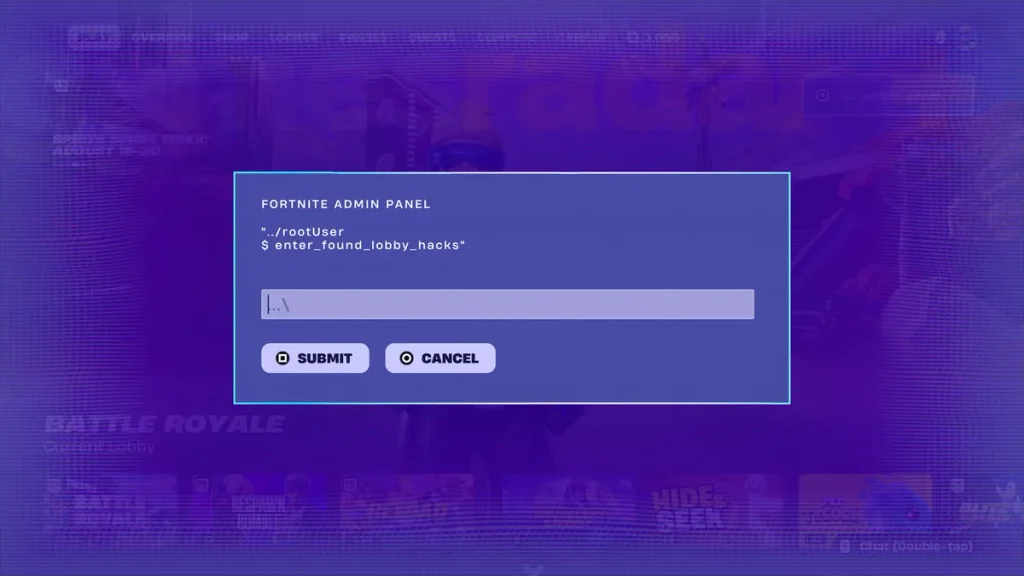
The three newest codes arrived alongside the September 3rd update: ChatWhereDoYouFindTheKey, InvalidCheat, and YourThoughtsAreMine — the last of which requires Geno story progress before it can be redeemed. New codes tend to arrive as a steady drip rather than all at once, often surfacing through Epic’s own Discord and patch notes before guide sites confirm them.
Expired Fortnite Admin Panel Codes
Good news if you’ve been slow to redeem: as of early September 2026, no Lobby Hack codes have expired. That said, there’s no guarantee every code will stay available for the rest of the season, so it’s worth redeeming anything you want sooner rather than later.
How to Redeem Fortnite Admin Panel Codes
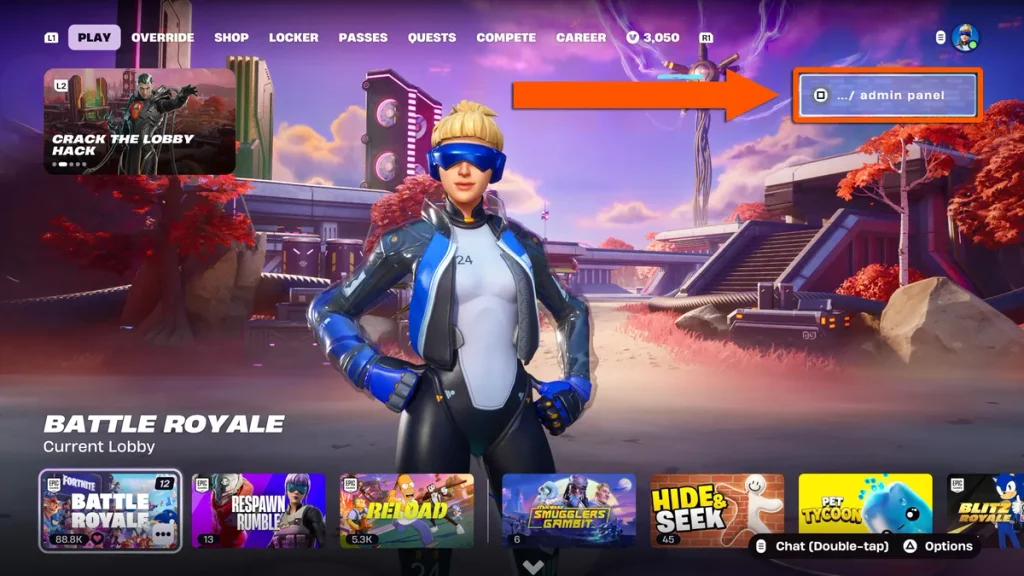
Redeeming a code takes seconds once you know where to look.
Step 1: Open the Lobby Hacks Panel
From the main menu, head into the Battle Royale Lobby, then look for the “…/ admin panel” option in the top-right corner of the screen. On console this is usually a button prompt — on Nintendo Switch specifically, you press and hold the Y button until a password entry screen appears.
Step 2: Find the Admin Panel and Enter a Code
Once the panel is open, type your chosen code into the entry field. Codes aren’t case-sensitive, so you don’t need to match capitalization exactly — just get the spelling right.
Step 3: Activate the Available Features
Hit Submit to claim your reward. A confirmation pop-up will tell you what you received; if the code was for a Sprite you already own, you’ll get Sprite Dust instead.
Why Fortnite Admin Panel Codes Are Not Working
If a code keeps bouncing, it’s almost always one of a few common issues rather than a sign the whole system is broken.
Check the Codes Carefully
Typos are the number one cause of failed redemptions. A trailing space from a copy-paste, or a letter that looks like a number (a capital “O” versus a zero), is especially easy to miss — one widely shared code even trades on this confusion, since it reads like a phrase but is actually written with zeros in place of letters. Story-gated codes (like the ones tied to Wrixel or Geno quests) will also reject valid strings if you haven’t finished the required questline yet.
Update the Map and Restart Fortnite
Make sure you’re running the latest game update and are actually sitting in a Chapter 7 Season 4 Battle Royale lobby — the admin panel won’t appear in other modes or on the mode-select screen. If the panel is visible but codes still fail, a restart can clear up temporary server hiccups.
Are Fortnite Admin Panel Codes Safe to Use?
Yes — these codes are an official Epic Games feature built directly into the game’s own lobby screen, not a third-party mod or exploit. Entering one simply unlocks a reward Epic has already made available; it doesn’t modify game files, grant unfair advantages in matches, or put your account at risk.
Avoid Fake Codes and Unauthorized Cheats
That safety only applies to genuine, Epic-issued codes entered through the in-game admin panel. Be wary of:
- Websites or videos promising “free V-Bucks” codes redeemable outside the game — these are scams designed to harvest account logins, not legitimate Lobby Hack rewards.
- Any tool, download, or “generator” claiming to unlock admin panel rewards for you. Fortnite has no legitimate third-party code generators.
- Codes shared in comments or DMs with unusual formatting or urgency (“redeem before it’s deleted!”). Cross-check any new code against a couple of established tracker sites before trying it.
Fortnite Admin Panel Codes FAQ
Where can you find new Fortnite admin panel codes? New codes tend to surface first through Epic’s official Fortnite Discord and patch notes, then get picked up and verified by established Fortnite guide sites within hours. Bookmarking a couple of reputable trackers and checking back after each major update is the most reliable way to catch new drops.
Can Fortnite admin panel codes work on every platform? Yes — the admin panel is part of the core Battle Royale lobby, so codes work the same way across PC, console, and mobile. The only difference is how you open the panel: typically a click on PC, and a held button prompt (such as Switch’s Y button) on some consoles.
Leave a Reply