Author: mizoe6086@gmail.com

  • Fortnite Admin Panel Codes and How to Use Lobby Hacks

    Fortnite Admin Panel Codes and How to Use Lobby Hacks

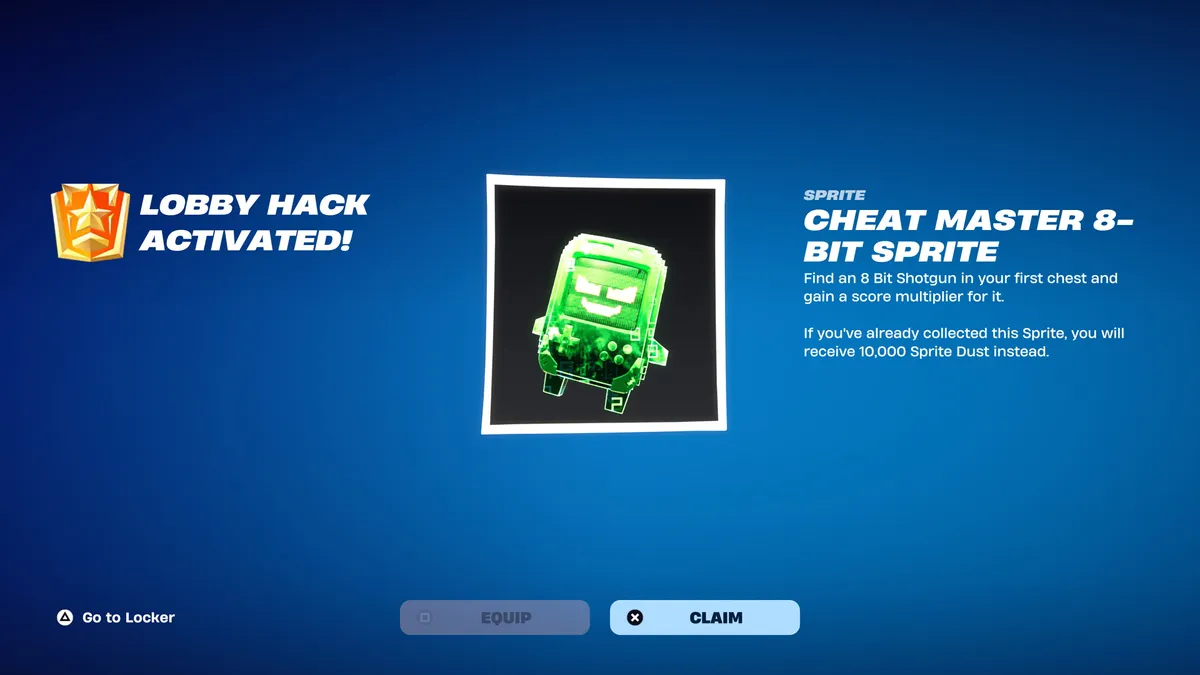
    If you’ve spotted a mysterious “…/ admin panel” tab in the corner of your Fortnite lobby and wondered what it does, you’re looking at one of Chapter 7 Season 4’s best freebie systems. Fortnite admin panel codes unlock free XP, Sprite Dust, rare Cheat Master Sprites, and fun lobby transformations — no purchase required. Here’s the full rundown of working codes, how to redeem them, and what to do if they stop working.

    All Working Fortnite Admin Panel Codes

    Fortnite admin panel codes were introduced with the Override season, tying Lobby Hacks into the season’s gaming theme. Open the admin panel from the lobby screen and type in a secret code for an instant reward — often a powerful Sprite or a handy gizmo. Currently reported active codes and their rewards include:

    CodeReward
    GATHERANDCRAFTCheat Master Bush Sprite (requires completing all Wrixel/Ziggy Part 1 story quests first)
    YOURTHOUGHTSAREMINE5,000 Sprite Dust (requires completing all Geno Part 1 story quests first)
    CHATWHEREDOYOUFINDTHEKEY2 Extraction Accelerators
    INVALIDCHEAT2 Cheat Code Locators
    O2OVERRIDELlama Supply and 5 Portable Extractors
    BRBBriefly turns you into a toilet (reusable)
    DONTBLOCKME / LETSBLOCKANDROLLBriefly turns you into a Tetris piece (reusable)
    INSERTCOINTOCONTINUEBriefly turns you into an arcade machine (reusable)

    The first time you redeem any admin panel code, you’ll also unlock the Cuddle Team Leader Outfit Style for Wrixel. If you redeem a code for a Sprite you already own, you’ll get 10,000 Sprite Dust instead of a duplicate.

    Latest Fortnite Admin Panel Codes for Lobby Hacks
    The three newest codes arrived alongside the September 3rd update: ChatWhereDoYouFindTheKey, InvalidCheat, and YourThoughtsAreMine — the last of which requires Geno story progress before it can be redeemed. New codes tend to arrive as a steady drip rather than all at once, often surfacing through Epic’s own Discord and patch notes before guide sites confirm them.

    Expired Fortnite Admin Panel Codes

    Good news if you’ve been slow to redeem: as of early September 2026, no Lobby Hack codes have expired. That said, there’s no guarantee every code will stay available for the rest of the season, so it’s worth redeeming anything you want sooner rather than later.

    How to Redeem Fortnite Admin Panel Codes
    Redeeming a code takes seconds once you know where to look.

    Step 1: Open the Lobby Hacks Panel

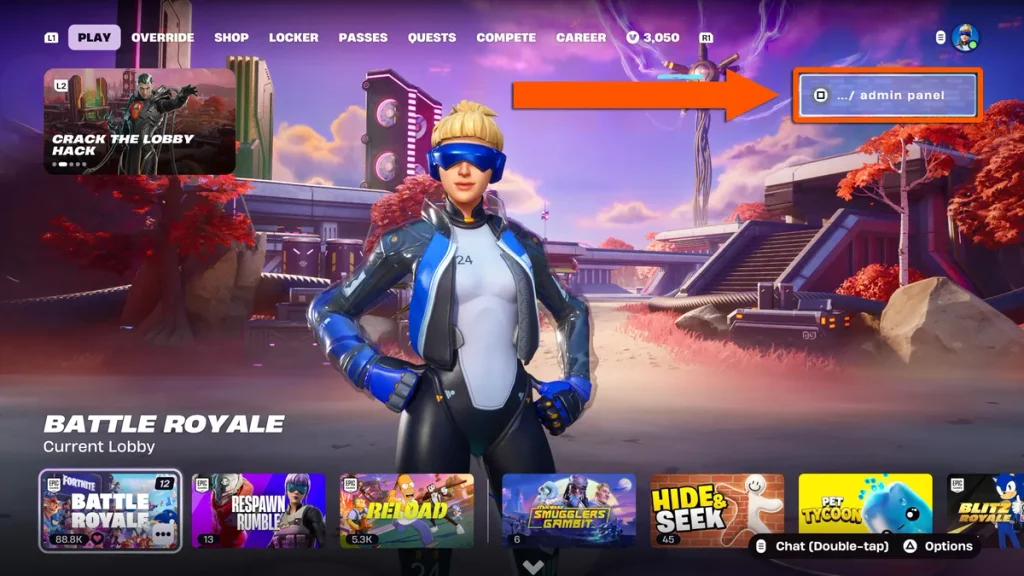
    From the main menu, head into the Battle Royale Lobby, then look for the “…/ admin panel” option in the top-right corner of the screen. On console this is usually a button prompt — on Nintendo Switch specifically, you press and hold the Y button until a password entry screen appears.

    Step 2: Find the Admin Panel and Enter a Code

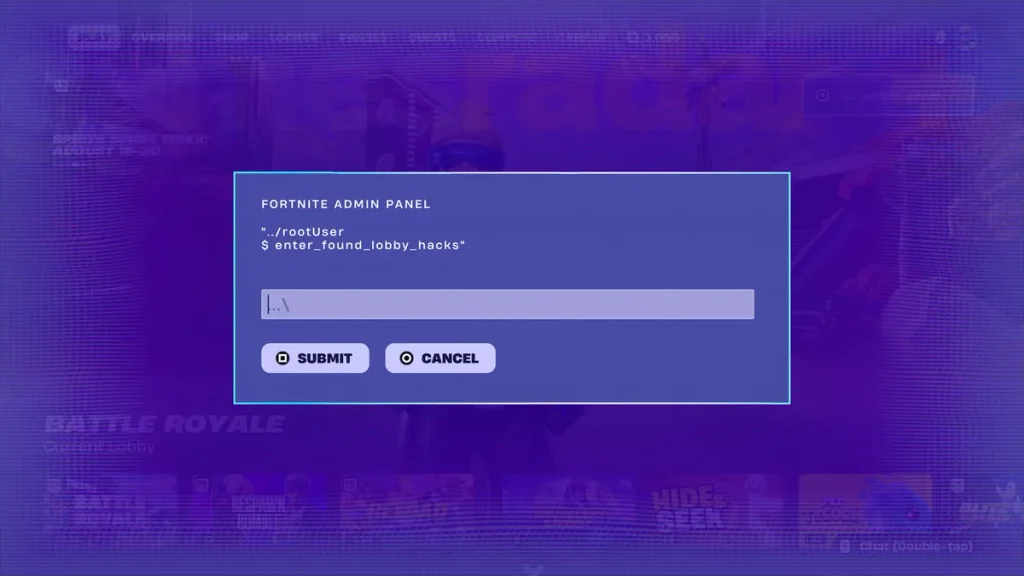
    Once the panel is open, type your chosen code into the entry field. Codes aren’t case-sensitive, so you don’t need to match capitalization exactly — just get the spelling right.

    Step 3: Activate the Available Features

    Hit Submit to claim your reward. A confirmation pop-up will tell you what you received; if the code was for a Sprite you already own, you’ll get Sprite Dust instead.

    Why Fortnite Admin Panel Codes Are Not Working

    If a code keeps bouncing, it’s almost always one of a few common issues rather than a sign the whole system is broken.

    Check the Codes Carefully

    Typos are the number one cause of failed redemptions. A trailing space from a copy-paste, or a letter that looks like a number (a capital “O” versus a zero), is especially easy to miss — one widely shared code even trades on this confusion, since it reads like a phrase but is actually written with zeros in place of letters. Story-gated codes (like the ones tied to Wrixel or Geno quests) will also reject valid strings if you haven’t finished the required questline yet.

    Update the Map and Restart Fortnite

    Make sure you’re running the latest game update and are actually sitting in a Chapter 7 Season 4 Battle Royale lobby — the admin panel won’t appear in other modes or on the mode-select screen. If the panel is visible but codes still fail, a restart can clear up temporary server hiccups.

    Are Fortnite Admin Panel Codes Safe to Use?

    Yes — these codes are an official Epic Games feature built directly into the game’s own lobby screen, not a third-party mod or exploit. Entering one simply unlocks a reward Epic has already made available; it doesn’t modify game files, grant unfair advantages in matches, or put your account at risk.

    Avoid Fake Codes and Unauthorized Cheats

    That safety only applies to genuine, Epic-issued codes entered through the in-game admin panel. Be wary of:

    • Websites or videos promising “free V-Bucks” codes redeemable outside the game — these are scams designed to harvest account logins, not legitimate Lobby Hack rewards.
    • Any tool, download, or “generator” claiming to unlock admin panel rewards for you. Fortnite has no legitimate third-party code generators.
    • Codes shared in comments or DMs with unusual formatting or urgency (“redeem before it’s deleted!”). Cross-check any new code against a couple of established tracker sites before trying it.

    Fortnite Admin Panel Codes FAQ

    Where can you find new Fortnite admin panel codes? New codes tend to surface first through Epic’s official Fortnite Discord and patch notes, then get picked up and verified by established Fortnite guide sites within hours. Bookmarking a couple of reputable trackers and checking back after each major update is the most reliable way to catch new drops.

    Can Fortnite admin panel codes work on every platform? Yes — the admin panel is part of the core Battle Royale lobby, so codes work the same way across PC, console, and mobile. The only difference is how you open the panel: typically a click on PC, and a held button prompt (such as Switch’s Y button) on some consoles.
  • GTA 6: Everything You Need to Know

    GTA 6: Everything You Need to Know

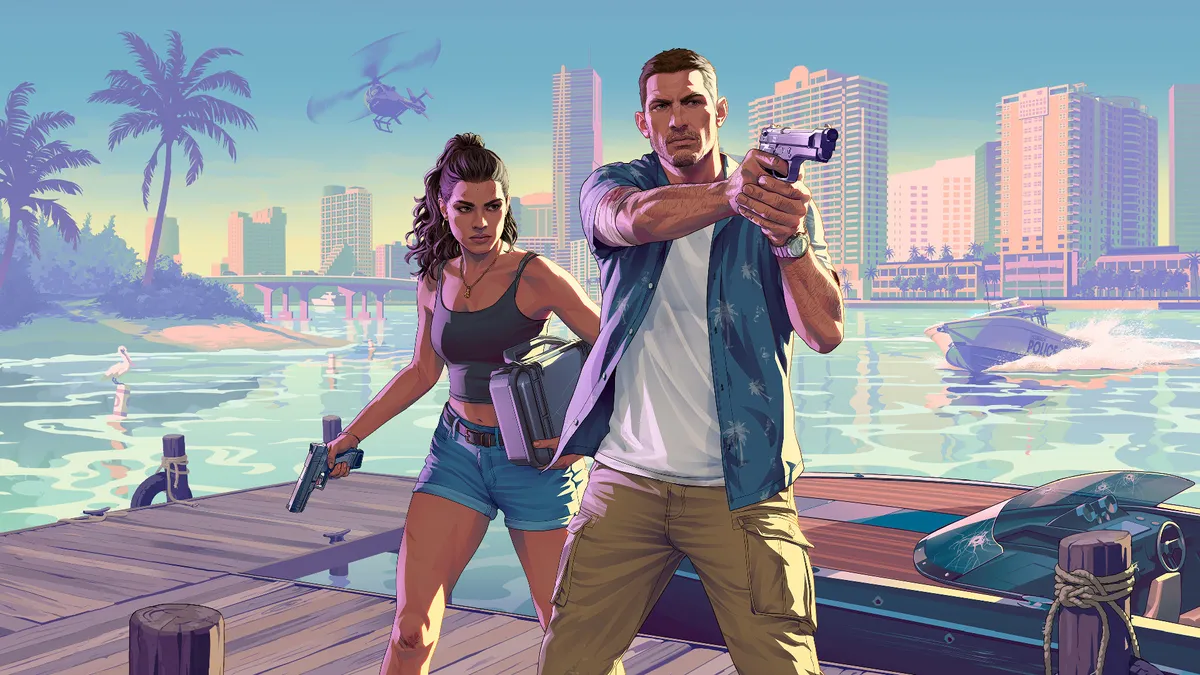
    Grand Theft Auto 6 has been the most-anticipated game on the planet for over a decade, and after years of leaks, delays, and a couple of trailers that broke the internet, we finally have real answers. Release date? Locked. Setting? Vice City is back. Price? Higher than you’re used to. Whether you’re pre-ordering tonight or just trying to catch up on the hype, here’s your complete, no-fluff guide to GTA 6 and its latest gameplay reveals.

    GTA 6 Release Date and Launch Details

    GTA 6 Release Date

    Grand Theft Auto 6 launches on Thursday, November 19, 2026. Rockstar Games confirmed this date in a Newswire post in November 2025, and Take-Two has reaffirmed it repeatedly since — including through SEC filings that put the date on record with securities regulators, not just in press statements. Take-Two CEO Strauss Zelnick has publicly stated there will be no further slips.

    That confidence is hard-won. GTA 6 has already survived two delays: it was originally targeted for Fall 2025, then pushed to May 2026, before Rockstar settled on the November window to give the game the extra polish they felt it needed.

    GTA 6 Pre-Order and Price Information

    Pre-orders went live on June 25, 2026, and pricing broke from series tradition:

    • Standard Edition: $79.99 — includes the full story campaign in Leonida, following Jason and Lucia
    • Ultimate Edition: $99.99 — adds a curated collection of premium vehicles, weapons, apparel, and activities for the single-player campaign

    Pre-order customers also get the Vintage Vice City Pack, which bundles classic cars, retro outfits, and a weapon skin inspired by the original Vice City era. If you’re buying physical, boxed copies reportedly ship a week ahead of launch so you can install before November 19.

    GTA 6 Platforms and PC Release

    GTA 6 PS5 and Xbox Series X/S Platforms

    At launch, GTA 6 is a console exclusive, arriving on PlayStation 5 and Xbox Series X/S only. There’s no cross-platform surprise here — Rockstar is focusing entirely on current-gen consoles for day one.

    GTA 6 PC Release Expectations

    If you’re a PC player, you’ll need to wait. Rockstar has not announced a PC release date, and the console-first, PC-later approach mirrors how the studio handled both GTA 5 and Red Dead Redemption 2 — each of which arrived on PC roughly a year or more after console launch. Expect the same pattern here, though nothing is confirmed.

    GTA 6 Trailers and Confirmed Footage

    GTA 6 Official Trailers

    Rockstar has been famously stingy with marketing, but the drip-feed has been enough to break streaming records. The first trailer landed in December 2023 and shattered viewership numbers instantly. A second trailer followed roughly a year and a half later, then an extended gameplay-focused “look” premiered around Gamescom in August 2026 — first on Netflix, then on YouTube and Rockstar’s own site.

    GTA 6 Gameplay Footage

    The Extended Look was the real turning point for fans: instead of another cinematic teaser, it showed off actual systems — the wanted level, combat, vehicle interactions, and traversal. According to streaming analytics, the gameplay reveal broke records, pulling in nearly 4 million concurrent viewers across platforms, officially making it the biggest gaming stream of the year.

    GTA 6 Characters and Story

    GTA 6 Characters: Lucia and Jason

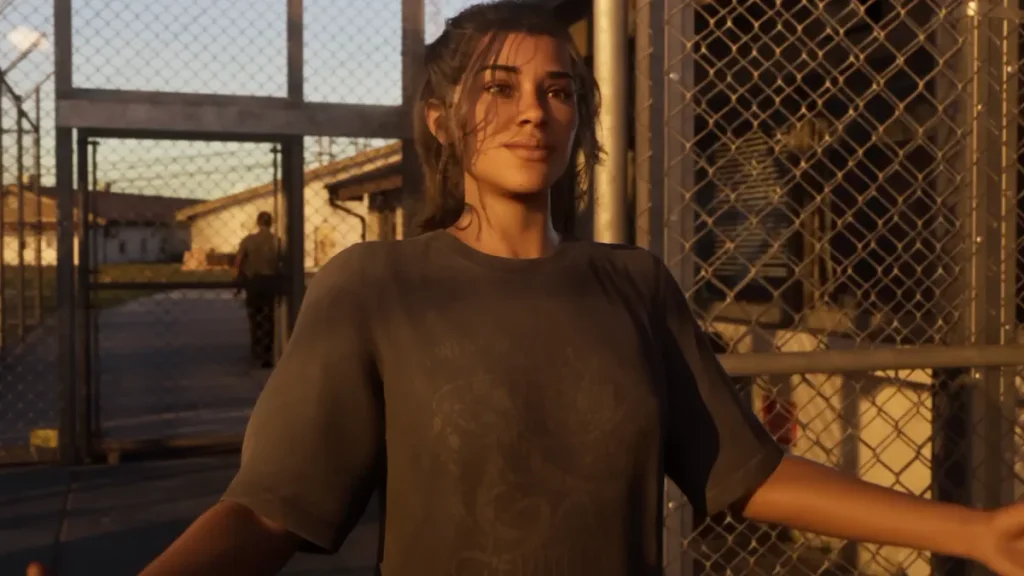
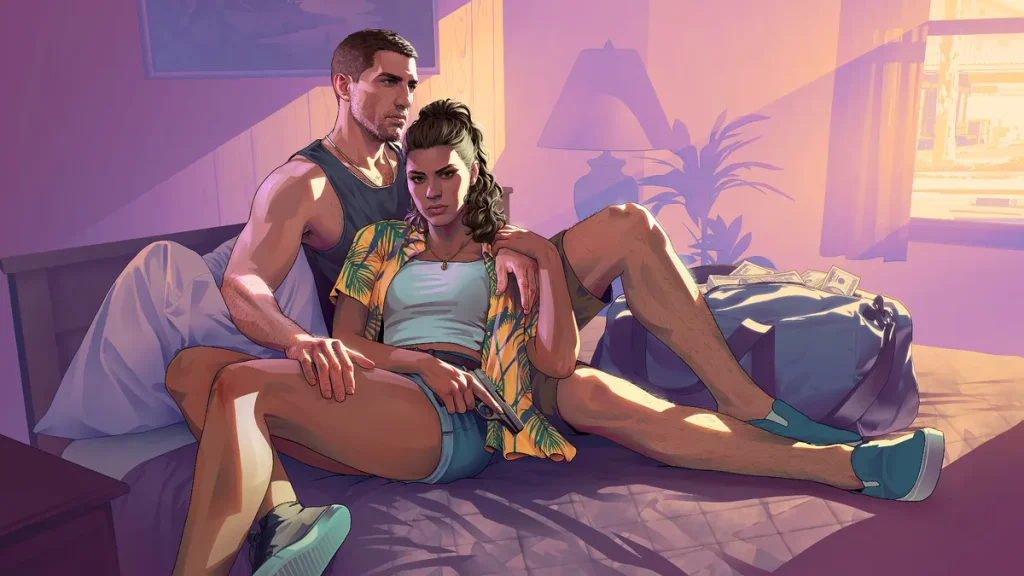
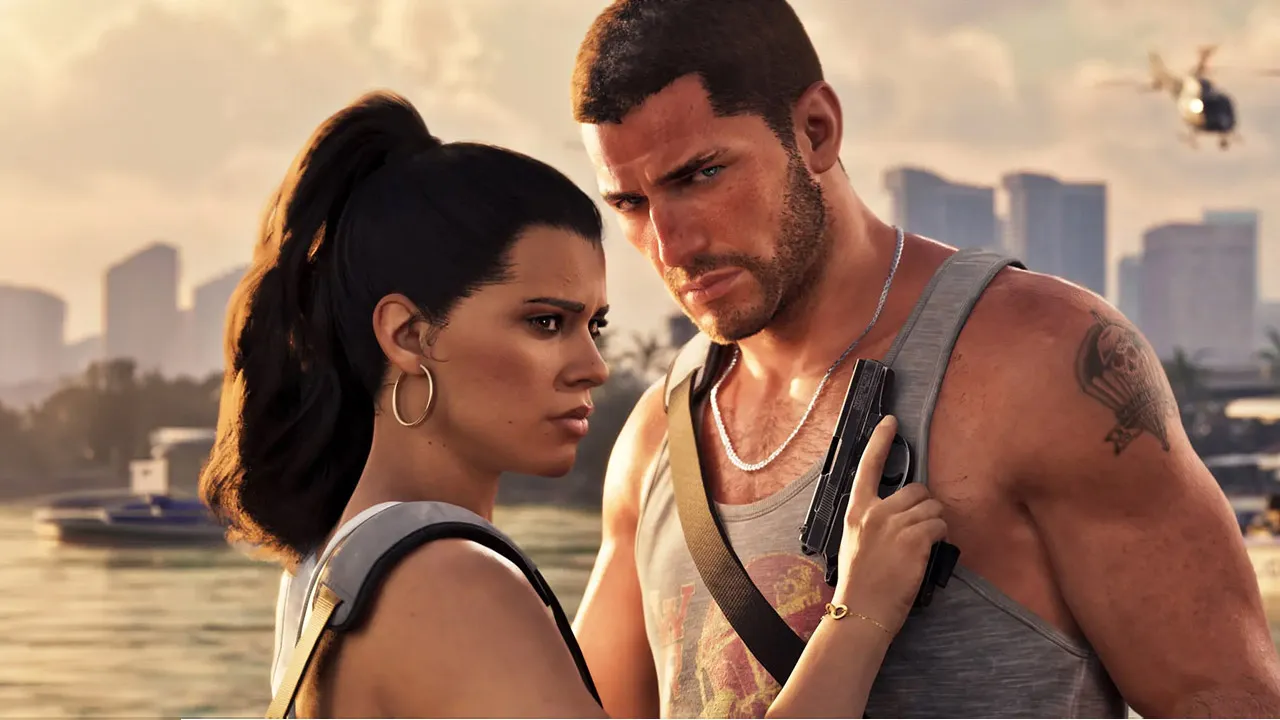
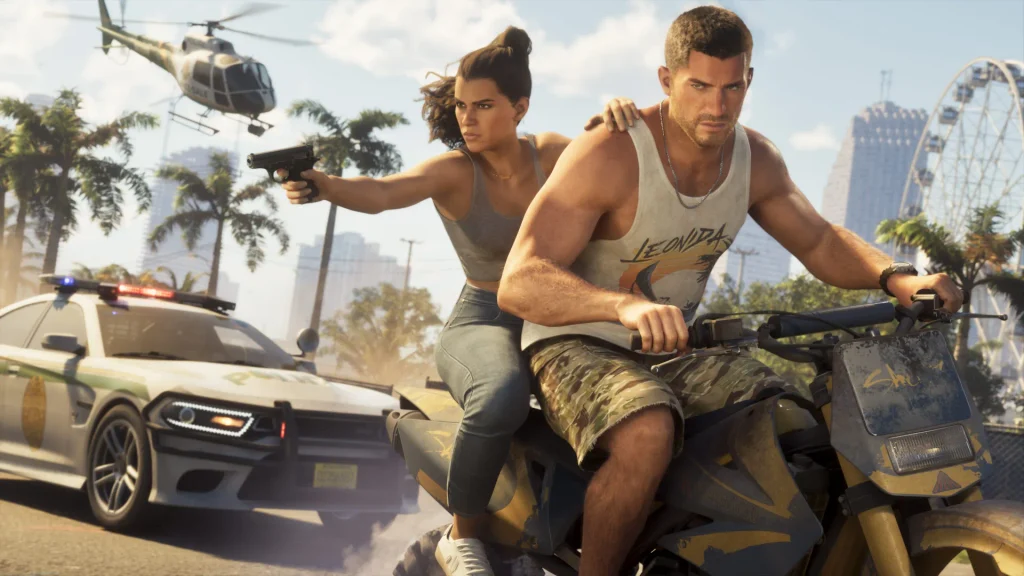
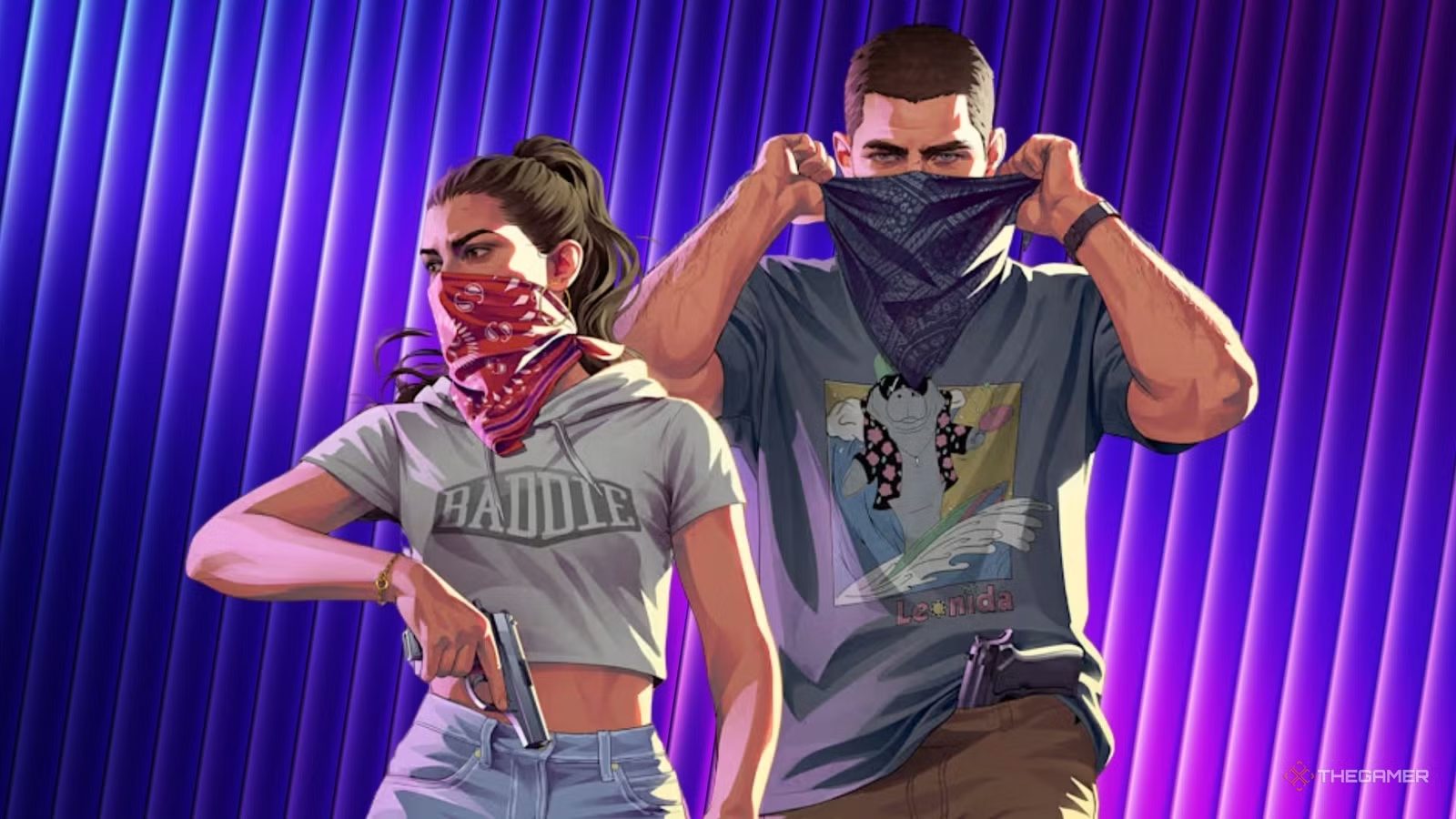
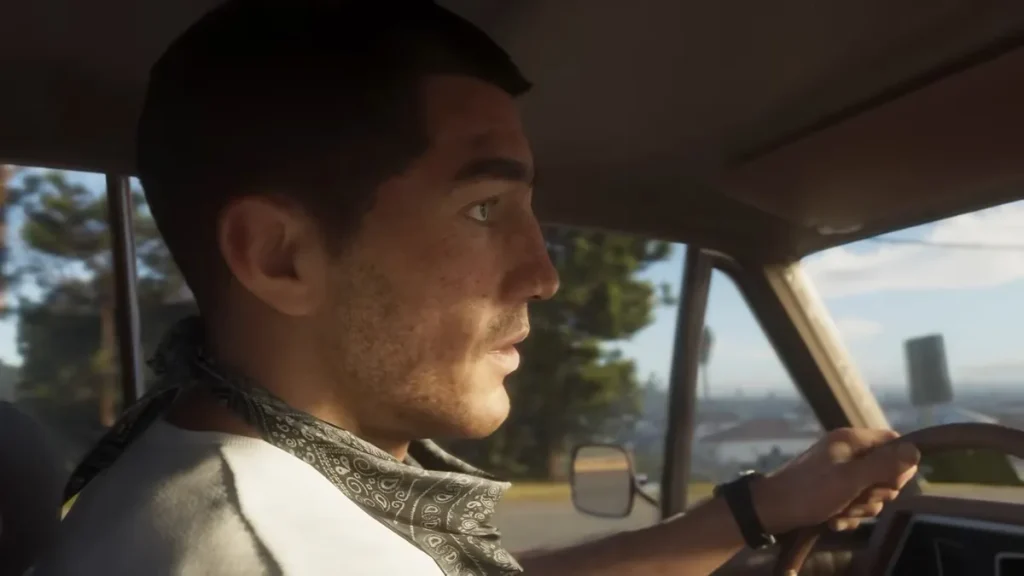
    The story centers on two protagonists: Lucia Caminos and Jason Duval. It’s a notable first for the mainline series — Lucia is GTA’s first playable female lead. Footage shows the pair can swap roles mid-mission, letting players shift perspective between the two rather than sticking with one fixed character for an entire job.

    GTA 6 Story and Criminal Partnership

    Jason and Lucia’s story is framed as a modern Bonnie and Clyde — a criminal partnership built on loyalty, love, and mutual desperation. Early footage shows Lucia being picked up from prison by Jason, and the narrative appears to trace how two people with the odds stacked against them get pulled deeper into Leonida’s criminal underworld together.

    GTA 6 Map and Vice City Location

    GTA 6 Vice City Setting

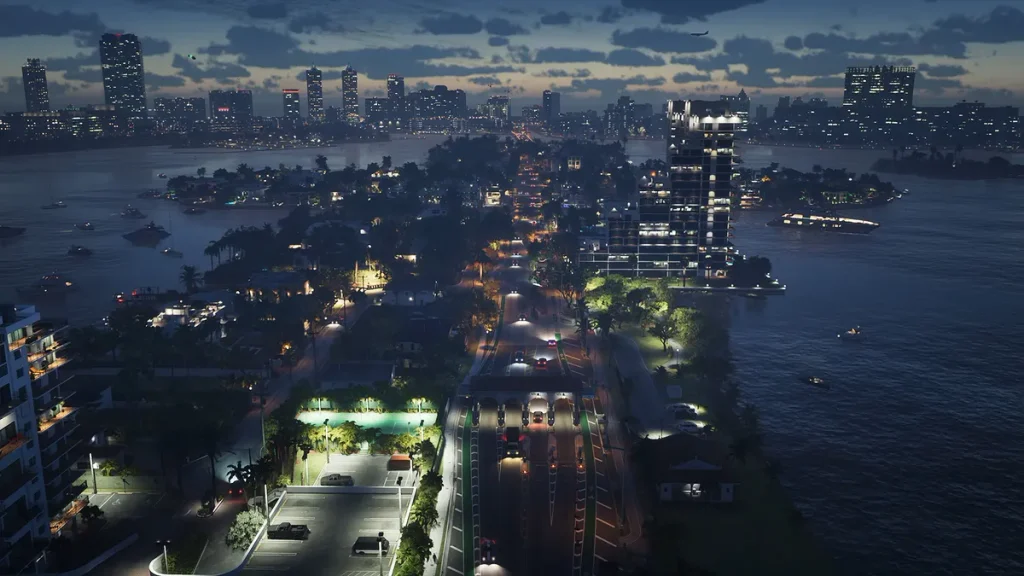
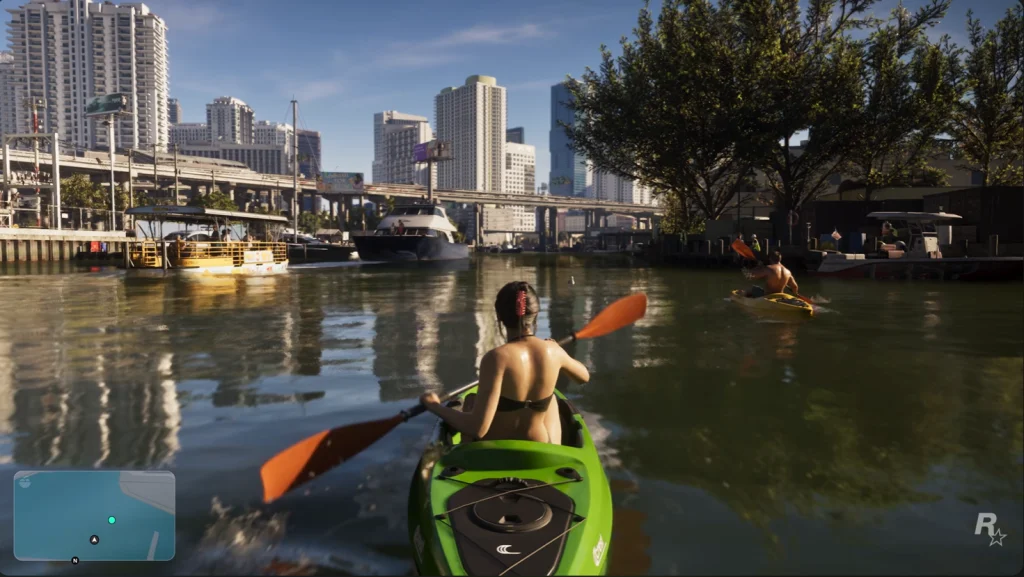
    The game is set in the fictional state of Leonida, a clear stand-in for Florida, with Vice City as its beating heart. Rockstar’s reimagined Vice City is denser, taller, and more modern than the one longtime fans remember, blending neon-lit nightlife districts with glassy downtown skyscrapers, beachfront boardwalks, and busy marinas.

    GTA 6 Map Size and Locations

    While Rockstar hasn’t released an official map, community estimates put Leonida at roughly double the size of GTA 5’s Los Santos and Blaine County — with Vice City itself alone said to be about twice the size of Los Santos. Locations spotted or confirmed through trailers and leaks include:

    • Vice City Downtown — the dense, vertical financial and nightlife core
    • Ocean Beach — boardwalks, marinas, and the tourist strip
    • Leonida Keys — island chains reachable by boat or seaplane
    • Port Gellhorn — a working port mixing legitimate freight with smuggling
    • Grassrivers / Mount Kalaga National Park — swamps, wetlands, and wilderness far from the neon
    • Ambrosia and other small towns — quieter suburban communities hiding their own secrets

    Water plays a much bigger role this time around. Leonida’s coastline, rivers, and swamps sit between populated areas rather than framing them, which should make boats, jet skis, and seaplanes genuinely useful traversal options instead of novelties.

    GTA 6 Gameplay Features

    GTA 6 Open-World Activities

    The Extended Look confirmed a huge range of side activities, including basketball, pool, mini golf, weightlifting, swimming, scuba diving, kayaking, fishing, hunting, base jumping, parachuting, shooting ranges, stock car and dirt bike racing, and even backyard wrestling with signature finishing moves. Rockstar also confirmed that visible physical changes — from working out or eating — will affect how characters look over time.

    GTA 6 Vehicles, Weapons, and Police System

    Vehicle theft has been given real depth: older cars can be hotwired through a timing-based minigame, while newer models with electronic locks require a key cloner to bypass. A phone app lets you scan a car’s value, alarm status, and tracking before you commit to stealing it. Trunks can store weapons and clothing, and visible damage lowers how much a fence will pay you for a stolen vehicle.

    The wanted system has also been reworked. Early gameplay footage shows a returning six-star maximum wanted level, alongside a detection system where police recognize you by your clothing, vehicle, and appearance — meaning changing outfits or swapping cars may genuinely help you shake a chase, rather than just outrunning it.

    GTA 6 Online Mode

    Rockstar hasn’t formally detailed a GTA 6 Online mode, but given that GTA Online became one of the most consistently profitable products in gaming history, nobody seriously doubts one is coming. Take-Two has confirmed that the original GTA Online will keep running even after GTA 6 launches, so there’s no need to worry about losing your existing Los Santos progress.

    Industry reporting suggests the next-generation online mode is being built on an upgraded version of the current peer-to-peer architecture, with a push toward larger lobbies and fewer loading screens. As with GTA 5 and Red Dead Redemption 2, it’s widely expected that online multiplayer will arrive sometime after the main single-player campaign launches, rather than day one.

    GTA 6 Leaks, News, and Updates

    GTA 6 Leaks and Rumors

    GTA 6’s development has been shadowed by leaks from the very beginning, most notably a major 2022 security breach in which a hacker accessed Rockstar’s internal servers and released dozens of clips of unfinished gameplay footage. More recently, a purported internal development map and additional unauthorized gameplay clips circulated online in 2026, fueling ongoing community mapping and speculation projects. Take-Two has continued pursuing legal action, including seeking subpoenas tied to leaked materials distributed through Discord.

    Why GTA 6 Was Delayed

    GTA 6 has slipped twice: first from its original Fall 2025 target to May 2026, then again from May 2026 to the current November 19, 2026 date. Rockstar’s stated reason both times was the need for additional development time to meet the quality bar players expect from a mainline GTA release. Behind the scenes, reporting points to an ambitious overhaul of GTA Online’s next generation as one factor adding to the timeline, alongside the sheer scale of Leonida itself — Rockstar North co-head Rob Nelson has said the game has grown so large that no single team member knows it in its entirety.

    GTA 6 Frequently Asked Questions

    When will GTA 6 be released? GTA 6 releases on Thursday, November 19, 2026, for PlayStation 5 and Xbox Series X/S.

    Will GTA 6 come to PC? Not at launch. Rockstar has not announced a PC release date, though a PC version is expected to follow the console release, similar to past Rockstar titles.

    How much will GTA 6 cost? The Standard Edition is priced at $79.99, and the Ultimate Edition is $99.99, both above the traditional $70 industry standard for new releases.


    Have questions about anything not covered here? Drop them in the comments — we’re updating this guide as Rockstar reveals more.

  • GTA 6 Just Revealed a Massive Number of New Gameplay Details

    GTA 6 Just Revealed a Massive Number of New Gameplay Details

    Rockstar has finally pulled back the curtain. Between our complete GTA 6 guide, the Grand Theft Auto VI: An Extended Look premiere on Netflix and a wave of hands-on previews from outlets like IGN and TGG, we now have the clearest picture yet of how GTA 6 will actually play when it launches on November 19, 2026 for PS5 and Xbox Series X|S. This roundup breaks down every confirmed GTA 6 gameplay detail by system, so you know exactly what’s changing before Jason and Lucia hit the streets of Vice City.

    GTA 6 Gameplay Details: What Has Been Revealed?

    The floodgates opened after Rockstar’s 26-minute Extended Look aired on August 27, 2026, followed by a round of studio visits where creators like TGG got hands-off demos from Rockstar North co-studio head Rob Nelson. Between the official footage and these verified previews, we now know far more about combat, driving, the wanted system, and side content than at any point since the original 2022 leak.

    It’s worth separating what’s actually confirmed from what’s still circulating as rumor. Anything shown in the Extended Look itself, or explained directly by Rockstar staff during a preview event, counts as confirmed. Anything sourced only from unverified leaks, old patents, or speculative “insider” posts should be treated as a report until Rockstar says otherwise — and this guide flags the difference as it goes.

    GTA 6 Gameplay Details About Police and Criminal Systems

    GTA 6 Gameplay Details on the New Police and Heat System

    The classic six-star Wanted system is back, but it now sits on top of a new heat system that tracks what police actually know about you rather than just how many stars you have. During the showcase, an on-screen breakdown appeared beneath the star meter showing the specific factors driving your heat level — CCTV visibility, nearby enemy count, gun noise, and what you’re wearing all feed into it.

    That means police build an actual profile of the player using physical appearance, clothing, vehicles, CCTV footage, companions, and crime location. Crucially, losing your stars doesn’t wipe the slate clean: if police spot you again after your Wanted level has already dropped, they’ll resume the chase based on what they recorded about your appearance and vehicle. Switching clothes, swapping cars, or splitting up Jason and Lucia are now real tactics for shaking a profile rather than just cosmetic choices.

    Each star level also escalates the response in a more grounded way. Reporting from creator previews lays it out roughly like this: one star brings out local patrol only, two stars means active Vice City PD pursuit with roadblocks, three stars adds State Troopers and air support, four stars triggers full SWAT deployment, and five stars pulls in federal agencies.

    GTA 6 Gameplay Details About Jason and Lucia’s Criminal Profiles

    Jason and Lucia aren’t just a matched pair of protagonists — they’re fugitives whose partnership is baked into the core loop. The pair are trying to blend into Vice City and scrape together enough money to escape their situation after a job goes badly wrong, and the story is explicitly set in the present day, complete with modern smartphones and social media rather than a period piece.

    Rockstar reportedly went back and forth on the format before landing on two leads: the studio considered four playable characters before scaling back to two specifically to protect the emotional connection to the story.

    GTA 6 Gameplay Details About Driving, Vehicles, and Fuel

    New vehicle features

    Car theft now scales with how advanced the vehicle is. Older cars can be popped open with a slim jim or a smashed window, while modern high-end vehicles require key-cloners or more advanced tools — and once you’ve got one, stolen cars can either be kept for your own garage or sold off. Rockstar also confirmed vehicles can be bought outright: dealerships and showrooms are scattered throughout the world for legitimate purchases.

    Immersion inside the cabin has jumped noticeably too. Vehicle interiors now feature interactive pedals, adjustable steering wheels, working rearview mirrors, armrests, seats, and sun visors, and real-time mirrors show accurate reflections rather than static textures.

    Fuel and driving mechanics

    Fuel is officially a real gameplay system rather than a cosmetic gauge. Gas stations let you refuel, and electric vehicles can be topped up at dedicated charging stations — though Rockstar has been careful to note fuel lasts long enough that it won’t feel like a tedious chore.

    The city itself was also redesigned around how cars move through it: roads are roughly 15% narrower than they were in GTA V, making Vice City feel denser and larger at the same time.

    Vehicle customization possibilities

    Rockstar hasn’t detailed a full customization suite yet, but between the dealership system, the tiered theft mechanics, and confirmed weapon-attachment customization elsewhere in the game, extensive garage and paint-shop options are widely expected to return in some form. Treat specifics here as unconfirmed until Rockstar shows a dedicated customization segment.

    GTA 6 Gameplay Details About Combat and Movement

    GTA 6 Gameplay Details on Gunplay and Weapons

    Combat has moved away from the lock-on-heavy shooting of past entries. GTA 6 leans toward free aim by default, with less stickiness than previous games, though players can still tune assist in the options. Enemies also disappear from the radar during fights, and a new Focus ability slows the action and highlights lethal targets in red and spots that can incapacitate an enemy in yellow.

    Weapon carrying is far more restrictive and consequence-driven than before. Jason and Lucia can each conceal two handguns, but rifles and shotguns must be carried openly or stored in the vehicle, and only one long gun fits on the back — carrying a second means holding it in hand. That choice actually changes how NPCs and police react: a slung weapon usually goes unnoticed, but one held ready in both hands makes bystanders scatter and can prompt a police warning.

    The arsenal itself has grown substantially, spanning SMGs, shotguns, a grenade launcher, throwables like Molotovs and flashbangs, sniper rifles, and melee options ranging from a crowbar to a speargun. New systems layered on top include underwater combat for the first time in the series, deep weapon customization with attachments and skins, and a dual weapon wheel split between combat gear and equipment.

    GTA 6 Gameplay Details About Character Movement

    Movement got a comparable overhaul. Extended Look footage and follow-up previews point to revamped gunfights with improved NPC injury reactions, plus expanded vehicle destruction and new activities like gym workouts folded into traversal. On top of that, previews describe the ability to walk while staying in cover — repositioning fluidly instead of snapping rigidly between walls — alongside prone movement, which is new to the franchise.

    GTA 6 Gameplay Details About Robberies and Side Activities

    Heists and robberies

    Robbery is being treated as a core gameplay loop rather than a handful of scripted missions. Money is split into physical cash, bank balances, and stolen loot, and players will need to visit specialized fences to offload what they steal. Store robberies are dynamic rather than scripted: outcomes depend on the location and NPC behavior, with some clerks or security able to shut a heist down, and certain stores using cameras that can catch you in the act.

    Money-making activities

    Beyond direct theft, opportunities come from the world itself. NPC tips, favors, and characters you meet while exploring can point you toward new opportunities to steal or rob, putting as much emphasis on paying attention to the world as on completing structured side content.

    Minigames and optional activities

    The sheer volume of side content confirmed in the Netflix showcase is one of the biggest surprises of the reveal. Rockstar showed off scooter racing, airboat driving, basketball, weightlifting, jet skiing, scuba diving, canoeing, strip clubs, supercar racing, store and bank robberies, beach tanning, a timed firearms course, dirt bike racing, skydiving, wildlife watching, fishing, backyard wrestling, mini-golf, and billiards. A returning body-image system ties directly into some of it, too: a dynamic weight system is back, and gym workouts will help Jason and Lucia stay in shape if the player chooses to use them.

    GTA 6 Gameplay Details About the Open World

    NPC behavior and realism

    Rockstar is leaning hard into making Vice City feel inhabited rather than decorative. Reports from the reveal describe NPCs carrying bodies, playing sports, and using their phones to call the police or record footage — small behaviors meant to make every encounter play out a little differently.

    Dynamic world events

    Traffic and pedestrian behavior are also said to be far more reactive than in past titles, with NPCs evaluating traffic density, weather, and road layout in real time, rerouting around crashes and reacting to hazards rather than following fixed paths.

    Exploration and environmental details

    The map itself spans far more than just the city core. Official retailer listings and Rockstar’s own framing describe a dense, expansive rendition of Vice City set within the wider state of Leonida, covering swamps, crowded beaches, and realistic suburbs. Interiors have taken a leap forward too — building interiors show a noticeable step up in detail compared to Los Santos, right down to furniture, lighting, and small architectural touches.

    Why These GTA 6 Gameplay Details Matter

    How the new systems could improve the GTA experience

    Individually, none of these systems sounds revolutionary — free aim, a smarter wanted system, fuel management. Put together, they point at a game designed around consequences sticking around instead of resetting the moment a chase ends. A heat system that remembers your face and your car turns evasion into an actual skill rather than a cooldown timer, and a limited carry system paired with real injury reactions makes gunfights feel like something to avoid rather than a formality between missions.

    Why GTA 6 may become Rockstar’s most ambitious game

    Between the scale of Leonida, a genuinely reactive NPC population, and a criminal duo whose partnership drives the plot instead of just the marketing, GTA 6 is shaping up to ask more of players than any prior entry in the series. After more than a decade since GTA V, that’s exactly the kind of swing longtime fans have been waiting for — and the Extended Look suggests Rockstar has the systems in place to back it up.

    GTA 6 Gameplay Details FAQ

    When will more GTA 6 gameplay details be revealed?

    Rockstar has stayed active in the run-up to launch, following the August 27 Extended Look with studio preview events for select creators. Expect further drip-fed details — likely through additional trailers, creator previews, and marketing pushes — as the November 19, 2026 release date approaches.

    Are these GTA 6 gameplay details officially confirmed?

    Most of what’s covered here comes directly from Rockstar’s own Extended Look footage or from creators who got hands-off demos at Rockstar North and relayed details the studio confirmed on the record. A smaller number of specifics — particularly around vehicle customization depth — are still based on industry reporting and reasonable extrapolation rather than an official Rockstar statement, and are flagged as such above. As with any pre-release game, mechanics can still change before launch.

  • 10 Ways to Prepare for GTA 6 Before Its November Release

    10 Ways to Prepare for GTA 6 Before Its November Release

    After years of trailers, delays, and speculation, Grand Theft Auto VI finally has a release date fans can count on: Thursday, November 19, 2026, on PS5 and Xbox Series X|S. With Rockstar promising a return to a modernized Vice City in the sprawling state of Leonida, this is shaping up to be one of the biggest launches in gaming history. But a game this massive deserves more than a last-minute preorder — a little prep now can mean a smoother, spoiler-free, headache-free launch day. Here are 10 ways to get ready before November 19 arrives.

    1. Prepare for GTA 6 by Checking Your Console

    Before anything else, confirm your hardware is launch-ready. GTA 6 is releasing exclusively on PS5 and Xbox Series X|S — there’s no PC version at launch, and no word yet on a PC release date. If you’re still on a last-gen console, now’s the time to start budgeting for an upgrade so you’re not scrambling in October.

    2. Prepare for GTA 6 by Clearing Storage Space

    Rockstar games are notorious for their file sizes, and GTA 6 is expected to be no exception. Go through your console’s library now and uninstall games you haven’t touched in months. Freeing up space early means you won’t be stuck deleting your favorite titles the night before preload opens.

    3. Prepare for GTA 6 by Planning the Preload

    Once Rockstar announces preload availability, you’ll want to be ready to download immediately rather than finding out on launch day that you’re staring down a multi-hour install. Keep an eye on official channels as November approaches so you know exactly when preloading goes live.

    4. Prepare for GTA 6 by Deciding on a Preorder

    Different editions typically come with different bonuses — in-game currency, cosmetic items, or early access perks. Compare what’s on offer across standard, deluxe, and any collector’s editions, and weigh the price difference against what actually matters to you before committing.

    5. Prepare for GTA 6 by Upgrading Your Internet

    A day-one patch is almost a certainty for a game of this scale, on top of the base install itself. If your internet connection has been more “adequate” than “fast,” consider whether an upgrade is worth it — nothing spoils launch night like a download bar that won’t move.

    6. Prepare for GTA 6 by Playing Vice City

    There’s no better way to build anticipation than revisiting where it all began. Replaying Grand Theft Auto: Vice City is a fun way to appreciate how far the series — and this fictional world — has come, while getting back into the GTA mindset before Jason and Lucia take center stage.

    7. Prepare for GTA 6 by Avoiding Spoilers

    As marketing ramps up, leaks, early reviews, and gameplay clips are going to be everywhere. If you want the story to hit the way Rockstar intended, start being deliberate about muting keywords on social media and steering clear of unofficial leak accounts now, before the flood really begins.

    8. Prepare for GTA 6 by Organizing Your Gaming Setup

    Small comfort upgrades go a long way for a game you’ll likely be sinking dozens of hours into. Double-check your TV or monitor settings, make sure your headset and controller are charged and ready, and set up a comfortable space — you’ll thank yourself during those first marathon sessions.

    9. Prepare for GTA 6 by Planning Your Launch-Day Schedule

    November 19 is a Thursday — if you can, consider requesting time off, clearing your schedule, or coordinating with friends for a launch-night session. Games this anticipated are best experienced without a workday looming the next morning.

    10. Prepare for GTA 6 by Following Official News

    With Rockstar’s marketing push ramping up, expect new trailers, gameplay breakdowns, and details in the months leading up to release. Following official Rockstar and Take-Two channels directly is the best way to stay informed without wading through rumor mills.

    Final GTA 6 Preparation Checklist

    • ✅ Confirm your PS5 or Xbox Series X|S is ready
    • ✅ Clear enough storage space for the install
    • ✅ Know when preload opens and download early
    • ✅ Pick a preorder edition that fits your budget
    • ✅ Check your internet can handle the download and day-one patch
    • ✅ Set up your gaming space and gear in advance
    • ✅ Stay spoiler-free until launch day
    • ✅ Follow official Rockstar/Take-Two news for updates

    Suggested primary keyword: “prepare for GTA 6” Meta description (under 160 characters): GTA 6 launches November 19, 2026. Here are 10 ways to get your console, internet, and schedule ready before Grand Theft Auto VI arrives. Internal linking opportunity: Link to any existing GTA 6 news, trailer breakdown, or console buying-guide content you have. Image alt text ideas: “GTA 6 Vice City skyline,” “PS5 and Xbox Series X consoles side by side,” “GTA 6 preorder editions comparison”

  • Steal An Egg Codes (September 2026): Everything You Need to Know

    Steal An Egg Codes (September 2026): Everything You Need to Know

    If you’ve been sneaking up on unsuspecting critters, swiping their eggs, and racing back to base in Roblox’s breakout hit Steal An Egg, you’ve probably typed “Steal An Egg codes” into a search bar hoping for a shortcut to more Coins and rarer pets. Here’s the honest, up-to-date answer for September 2026 — plus what to do while you wait for the real thing.

    Active Steal An Egg Codes (September 2026)

    As of early September 2026, there are no active Steal An Egg codes. The game currently has no in-game code redemption system at all, so even if you saw a code floating around on social media, there’s nowhere to enter it yet.

    This isn’t unique to Steal An Egg — plenty of breakout Roblox simulators skip codes early on in favor of other engagement tools, like limited-time community rewards or in-game events.

    Working Steal An Egg Codes and Rewards

    Since no code system exists yet, there are no working codes or code-based rewards to redeem. However, there is one confirmed way to grab a free bonus right now: liking and favoriting the game, then joining its official Roblox community group, has been reported to unlock a one-time in-game bonus. Check the game’s page directly to confirm this is still active, since freebies like this can be time-limited or changed by the developers.

    How to Redeem Steal An Egg Codes

    There’s currently no Codes, Redeem, or promo menu inside Steal An Egg, so there’s nothing to redeem yet. If and when the developers add one, it will most likely live in the Shop or Settings menu, possibly behind a dedicated “Codes” button — that’s the standard pattern for most Roblox simulator games.

    Steps to Use Steal An Egg Codes in Roblox

    Once a redemption system does go live, using codes will likely follow the same steps as most Roblox titles:

    1. Launch Steal An Egg from the Roblox app or website.
    2. Look for a Codes, Gift, or Settings icon on the main screen.
    3. Tap it to open the code entry box.
    4. Type or paste the code exactly as published (codes are usually case-sensitive).
    5. Confirm or press Enter to claim the reward.
    6. Check your inventory, Coins, or pets for the reward.

    We’ll update this section with real, tested steps the moment a code box actually appears in-game.

    Why Steal An Egg Codes Are Not Working

    If you’ve tried entering something you found online and it didn’t work, it’s almost certainly because:

    • There’s no redemption system yet — nothing you type will register, no matter how official the code looks.
    • The “code” was never real — some social posts and videos circulate made-up codes purely for clicks.
    • You’re confusing it with a different game — codes for similar titles like Steal a Brainrot, Grow a Garden, or Grow an Egg do not carry over to Steal An Egg.

    Fixes for Invalid Steal An Egg Codes

    Because there’s no working code system, there isn’t really a “fix” beyond patience — but a few sanity checks are worth doing before you assume a code is broken:

    • Confirm you’re playing Steal An Egg and not a similarly named copycat experience.
    • Double-check spelling and capitalization if you do encounter a code claim in the future.
    • Rely only on the developer’s official Discord or the game’s Roblox page rather than random comment sections.

    Expired Steal An Egg Codes

    There are currently no expired Steal An Egg codes, simply because none have ever been released. As soon as a first batch of codes launches and later expires, this section will track them here.

    Previously Active Steal An Egg Codes

    Same story here: since no codes have gone live yet, there’s no history of previously active codes to list. This guide will be updated the moment that changes.

    How to Find New Steal An Egg Codes

    Your best bet for catching new codes the moment they drop:

    • Join the official Discord server, if one is linked from the game’s page — developers often post codes there first, sometimes in a dedicated channel.
    • Follow the game’s official Roblox page and check the description and updates tab regularly.
    • Watch for major updates or milestones (new biomes, anniversaries, follower/like milestones) — these are the moments Roblox developers most commonly introduce a first code drop.
    • Bookmark a trusted, regularly updated codes tracker rather than relying on random social posts.

    Official Sources for Steal An Egg Codes

    Stick to primary sources to avoid wasting time on fake codes:

    • The official Steal An Egg Roblox game page
    • The developer’s official Discord server (if available)
    • Verified developer social accounts

    Avoid third-party sites that claim to list “working” codes without a way to verify them, and never trust a code that asks you to visit an external site or download something to “unlock” it.


    Bottom line: There are no working Steal An Egg codes in September 2026 because the game doesn’t have a redemption system yet. Bookmark this page — we’ll update it with verified codes, exact redemption steps, and reward details the moment the developers add the feature.

    Would you like updates on Steal An Egg codes? [Sign up for alerts / Follow us for the latest Roblox codes.]

  • Dungeon Lootr Codes (September 2026)

    Dungeon Lootr Codes (September 2026)

    Heading into a dungeon crawl empty-handed is never a great idea (check out the latest Roblox promo codes), and luckily you don’t have to. Dungeon Lootr, the Roblox hack-and-slash roguelike where you pick a class, delve into randomly generated dungeons, and decide whether to push deeper or extract with your loot, hands out promo codes that convert straight into coins, potions, forge materials, and gem rewards. Below is the full, currently-active list along with everything you need to redeem them without running into errors.

    Working Dungeon Lootr Codes

    Here are all the Dungeon Lootr codes confirmed active as of early September 2026:

    CodeReward
    FORGESKIP3 Forge Stone Bundles + 3 Reforge Stone Bundles
    GIVEMEGEMSPLEASE3 Aspect Gems
    FULLRELEASECoins + 3 Luck Potions III
    LOOTRISBACK3 Forge Stone Bundles
    JACKPOT5 Luck Potions III
    20KPLAYERS5 Reforge Stone Bundles
    LOOTRCoins + a random GM Blessing
    8KLIKESpecial reward
    10KFAVSpecial reward

    Codes are case-sensitive, so type them exactly as shown above (or copy and paste them) to avoid a wasted claim attempt.

    New Dungeon Lootr Codes and Rewards

    The freshest additions to the list are FORGESKIP, 8KLIKE, and 10KFAV, all tied to the game crossing new like and favorite milestones since its full release. Milestone codes like these tend to appear whenever Dungeon Lootr hits a follower or engagement target, so the reward pool grows a little every time the game picks up more players. Expect the bundle-heavy codes (forge and reforge stones) to keep showing up, since gear upgrading is one of the main progression loops.

    How to Use Dungeon Lootr Codes

    Codes in Dungeon Lootr are redeemed entirely inside the game rather than through an external site, and there’s one setup step players sometimes miss: joining the game’s associated Roblox group is required before certain rewards will actually register. Do that first, then load into the game so the code menu has something to attach the rewards to.

    How to Redeem Dungeon Lootr Codes

    Once you’re in-game, redemption only takes a few clicks. Open the in-game menu, find the codes panel, and paste in a code exactly as it’s listed above. A working code will trigger a claim confirmation and drop the reward straight into your inventory or currency total.

    Steps to Redeem Dungeon Lootr Codes in Roblox

    1. Launch Dungeon Lootr on Roblox.
    2. Clear or skip the tutorial dungeon to reach the main lobby.
    3. Click the Menu button on the left side of the screen.
    4. Select More, then open the Codes tab.
    5. Type or paste in a working code exactly as shown.
    6. Hit Claim (or Submit) to collect your reward.

    Expired Dungeon Lootr Codes

    The good news for right now: there are no confirmed expired Dungeon Lootr codes as of this update. That said, the developers have occasionally let early-access codes keep working well past their stated expiration, so “expired” isn’t always permanent in this game — it’s worth trying an older code before assuming it’s dead.

    Dungeon Lootr Codes That No Longer Work

    At the time of writing, no codes have been permanently retired. This list will be updated the moment any of the active codes above stop redeeming, so bookmark this page and check back after major updates.

    Why Are My Dungeon Lootr Codes Not Working?

    If a code isn’t redeeming, it’s almost always one of these four issues:

    • Typo or casing mismatch — codes are case-sensitive and don’t tolerate extra spaces.
    • Group membership missing — some rewards won’t unlock until you’ve joined the game’s Roblox group.
    • Already claimed — most codes are one-time use per account.
    • Server delay — codes tied to a fresh milestone sometimes take a little time to go live after the announcement.

    Fixes for Invalid Dungeon Lootr Codes

    Work through these before giving up on a code:

    • Copy-paste directly from this list instead of typing it manually.
    • Double-check you’ve joined the required Roblox group.
    • Restart the game if the codes menu seems unresponsive.
    • Confirm the code hasn’t already been used on your account.
    • Wait a few hours and retry if the code was just announced.

    How to Find More Dungeon Lootr Codes

    New codes tend to surface around three moments: major content updates, like/favorite milestones, and community celebrations. The official Dungeon Lootr Discord server posts codes in a dedicated channel as soon as they go live, which is usually the fastest way to catch one before it’s widely known. Following the game’s Roblox page for update announcements is a solid second source.

    Latest Dungeon Lootr Codes and Updates

    This page is checked regularly and updated as soon as new codes drop or existing ones expire, so if you’re farming coins and forge materials for an upgrade push, checking back after every Dungeon Lootr update is the best way to stay stocked up.

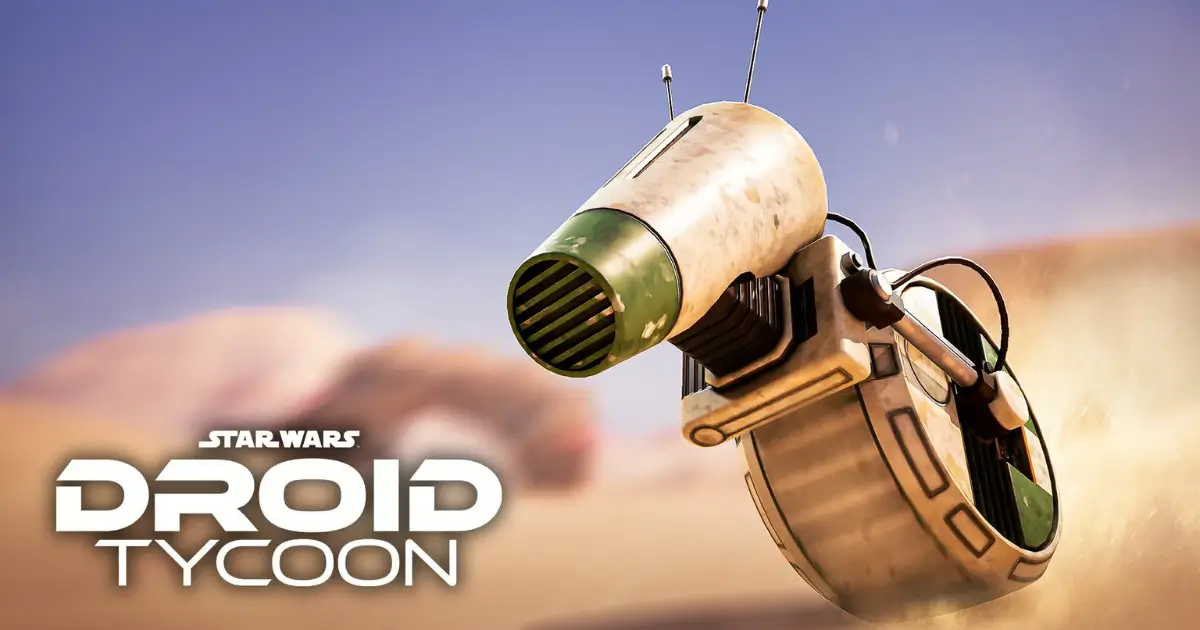
  • Fortnite Droid Tycoon:How to Unlock D-O in Easly

    Fortnite Droid Tycoon:How to Unlock D-O in Easly

    Quick Answer: How to Unlock D-O in Easly

    Head to the D-O event platform in Star Wars , interact with the console to start a defense wave, and clear the incoming battle droids. Every kill pushes the Trust Level meter up, and once it hits 400/400, D-O becomes claimable — just walk up and interact with him to add him to your roster.

    What You Need to Unlock D-O in Fortnite

    Before you fly out to the event area, get your loadout in order. A combat-focused companion matters here — Mister Bones is the standout pick since he doubles your damage output, which means faster kills and quicker Trust Level gains. Pair that with a weapon you can fire steadily through wave after wave: the DLT-19 Blaster Rifle and the ACP Scatter Rifle both hold up well, and Captain Phasma’s F-11D Blaster is available if you’re on the paid track.

    It also helps to collect any offline credits waiting for you when you load in, since you’ll want a stockpile ready to spend once the event’s Super Sandcrawler starts cycling rare stock.

    Requirements to Unlock D-O

    The unlock condition is simple on paper: reach Trust Level 400 out of 400. That meter only rises while you’re actively defending D-O on the event platform — kills anywhere else on the map don’t count. Progress does carry over if you step away to spend credits or visit the Sandcrawler, so you won’t lose ground by breaking off briefly.

    An optional Event Pass (300 currency) speeds things up by doubling event progress and adding a further boost to other event bonuses, but it isn’t required — it just cuts down the grind.

    How to Unlock D-O in Fortnite

    Step 1: Prepare Your Credits to Unlock D-O in Fortnite

    Collect any offline earnings first, then bank a credit stockpile before you head into the event. Arriving prepared means you can spend fully at the Sandcrawler the moment it opens instead of scrambling during its short window.

    Step 2: Start the D-O Event in Fortnite

    Fly to the D-O event platform and interact with the defense console to kick things off. Waves of hostile droids spawn right away and push toward D-O, so position yourself somewhere you can see them coming and keep firing.

    Step 3: Reach Trust Level 400 to Unlock D-O in Fortnite

    Keep clearing waves until the Trust Level counter fills to 400/400. The reward screen will fire once it does, and D-O is added straight to your roster.

    What You Get After You Unlock D-O in Fortnite

    Beyond D-O himself, the event window hands out a D-O Base Paint cosmetic, Nova Crystals, and access to active 2x farming bonuses for as long as the event stays live. D-O also joins the Iconic Droids collection alongside other unlockable companions like BB-8, Mister Bones, IG-11 Marshal, CB-23, DJ R-3X, R2-D2, C-3PO, and Chopper.

    Defeating 80 droids during the defense phase also triggers the Super Sandcrawler, a 45–60 second window that stocks rare and mythic droid blueprints not reliably available elsewhere. It’s worth breaking off from the console briefly whenever this fires, spending what you’ve saved, then returning to keep building Trust Level — the trigger can repeat multiple times in one long session.

    How D-O’s Perk Works in Fortnite

    D-O is a worker droid rather than an astromech, and his value comes down to two things. Deployed as a worker, he generates a 15%/s output. Equipped as a companion, he grants Half Fusion Time, which shortens the countdown on your fusion machine. You can see the effect directly by timing a fusion run with D-O unequipped, then comparing it to a run with him active — the difference shows up immediately.

    Can You Still Unlock D-O in Fortnite After Missing the Event?

    Not for free. Once the event window closes, unlocking D-O through the defense loop is no longer possible, and no return date has been confirmed. The fallback pattern from past iconic droid events is that they eventually become purchasable with Nova Crystals — so if you miss D-O, watching for a future Nova Shop listing is your best bet. That route won’t include the free Base Paint or the boosted event-only farming, though.

    Final Tips to Unlock D-O in Fortnite

    • Equip Mister Bones before you start — the damage boost translates directly into faster Trust Level progress.
    • Treat the 80-kill mark as your cue to check the Sandcrawler rather than waiting for a prompt.
    • Bank credits ahead of time so you’re not caught short when rare stock appears.
    • If Trust Level stalls, make sure you’re standing on the event platform and that you actually interacted with the console — kills elsewhere don’t count, and the defense has to be started first.
    • Check the in-game holographic timer near the Cantina for the authoritative countdown on when the next event window opens, since past events have varied widely in length.
  • Fortnite Guide: How to Get the Crash Bandicoot Skin

    Fortnite Guide: How to Get the Crash Bandicoot Skin

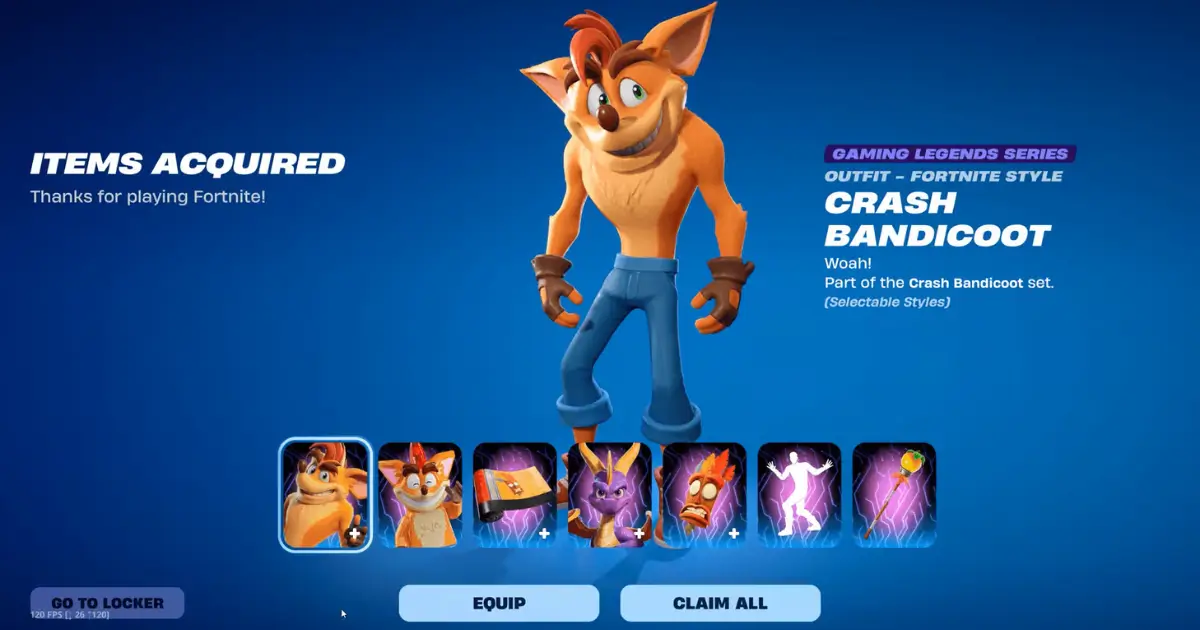
    Crash Bandicoot has officially bandicooted his way into Fortnite. As part of the Gaming Legends Series in Chapter 7 Season 4, Crash — along with his old rival-turned-teammate Spyro the Dragon — landed in the Item Shop on August 28, 2026. If you grew up spinning through crates on the original PlayStation, this is the crossover you’ve been waiting for. Here’s everything you need to know about grabbing the skin before it’s gone.

    How to Get the Crash Bandicoot Skin in Fortnite

    There are two ways to add Crash to your Locker: earn him for free through competitive play, or buy him straight from the shop. There’s no quest chain or challenge grind involved — it’s a direct purchase for most players, with a free route reserved for those who want to compete for it.

    How to Get the Crash Bandicoot Skin from the Item Shop

    For most players, the Item Shop is the simplest path. Here’s how to grab it:

    1. Launch Fortnite and open the Item Shop tab.
    2. Scroll to (or search for) the “Crash Bandicoot & Spyro the Dragon” section.
    3. Choose either the full bundle or the individual items you want.
    4. Press and hold the Purchase button to confirm.
    5. The cosmetics land directly in your Locker, ready to equip in Battle Royale, Reload, and other modes.

    Crash Bandicoot Skin Price and Bundle Contents

    The full Crash Bandicoot & Spyro the Dragon Bundle is priced at 3,000 V-Bucks, discounted from an original value of 4,900 V-Bucks if you bought every item separately. That includes:

    • Crash Bandicoot Outfit (with a second style option)
    • Aku Aku Back Bling
    • Crash’s Wumpa Mace Pickaxe
    • Bandicoot Wrap
    • Spyro the Dragon Sidekick
    • Crash’s Victory Emote

    The Aku Aku Back Bling is a nice touch for longtime fans — having the floating mask hover behind your character is a deep-cut nod to the original trilogy.

    Is the Crash Bandicoot Skin Available Separately?

    Yes. If you don’t want the whole set, the Crash Bandicoot Outfit can be purchased on its own for 1,500 V-Bucks. The other pieces — Aku Aku, the pickaxe, the wrap, the emote, and the Spyro Sidekick — can also be bought individually, but buying the full bundle is the better deal if you want more than just the base skin.

    Can You Get the Crash Bandicoot Skin for Free?

    If you’d rather not spend V-Bucks, Epic gave players a competitive route: the Override Series: Crash Bandicoot Cup, held on August 28, 2026. Placing inside your region’s reward cutoff during the Cup unlocked the Outfit for free — no purchase required. Reward thresholds varied by region and player pool size, with tighter cutoffs in more competitive regions.

    If you missed the Cup window, the Item Shop purchase is now your only remaining option.

    When Will the Crash Bandicoot Skin Leave Fortnite?

    The Crash Bandicoot collab is scheduled to rotate out of the Item Shop on September 11, 2026, at 8 PM ET. After that reset, there’s no confirmed return date, so if you want the skin, it’s worth deciding before the window closes rather than waiting and hoping for a restock.

    Is the Crash Bandicoot Skin Worth Getting?

    For fans of the original PlayStation-era platformer, this is one of the more faithful crossovers Fortnite has run. The bundle doesn’t just hand you a reskinned default — it comes with a genuinely nostalgic set of extras, from the Aku Aku Back Bling to the Wumpa-themed pickaxe, and pairing it with the Spyro Sidekick makes for one of the more complete “gaming legends” pairings in the Item Shop this season.

    If you only care about the base look, the standalone 1,500 V-Bucks Outfit is a reasonable low-commitment pickup. But if Crash was part of your childhood, the full 3,000 V-Bucks bundle is where the collab actually earns its price tag — and with a hard exit date of September 11, it’s not one to sleep on.

  • Brawl Stars Vince Build Guide: Best Gadgets, Star Powers & More

    Brawl Stars Vince Build Guide: Best Gadgets, Star Powers & More

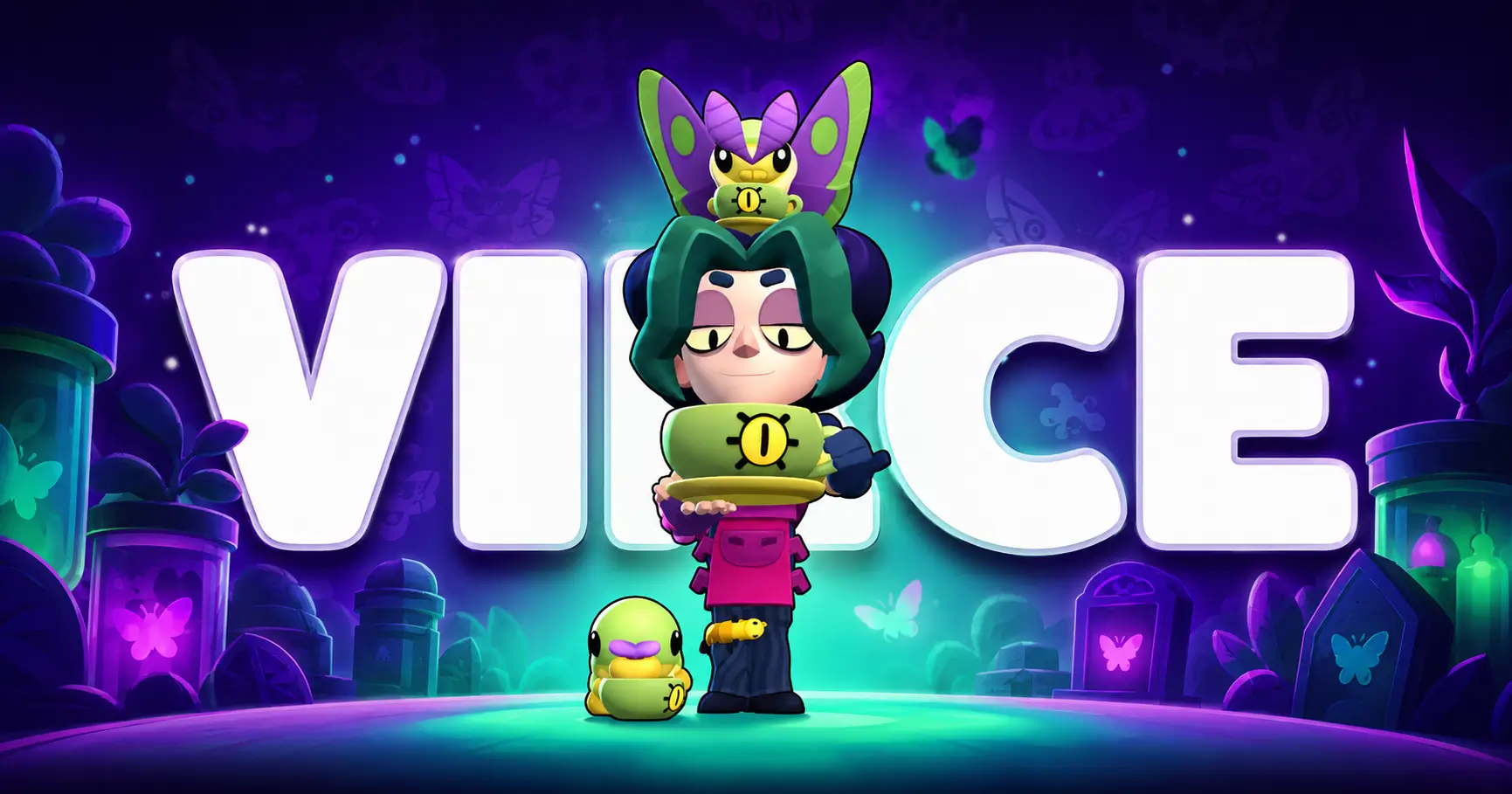
    Coffee, caterpillars, and a swarm of moths — Vince is one of the strangest Brawlers Supercell has cooked up in a while. As part of the Creepsville trio working out of the Creepy Café, Vince turns a slow-burn collection mechanic into serious late-fight damage. If you’re planning your build before he lands, here’s everything currently known about his kit, plus how to build around it.

    Note: Vince is confirmed for an October 2026 release as part of the Brawler Blast update (check our guide to unlocking brawlers). His Gadgets and Star Powers are already locked into the game’s official data, but live win-rate and tier rankings won’t exist until he’s actually playable. Treat the recommendations below as kit-based theorycrafting — we’ll update with real match data once he’s out.

    Best Brawl Stars Vince Build at a Glance

    • Gadget: Hot Coffee (safe, all-purpose pick) — swap to Metamothosis when you need to burst your Moth count fast
    • Star Power: Bug Bandage for sustain in most matches; Come to Papa on bush-heavy or spread-out maps
    • Gears: Shield + Damage as the general-purpose combo; Speed or Vision situationally
    • Best modes: Hot Zone and other objective-clustered modes where Caterpillars pile up naturally

    Brawl Stars Vince Build – Best Gadget, Star Power, and Gears

    For most matches, run Hot Coffee paired with Bug Bandage and Shield + Damage Gears. This combo keeps Vince alive long enough to actually use his gimmick — collecting Moths — instead of getting picked off before his Super ever comes online. It’s the safest starting point while you’re learning his timing.

    Brawl Stars Vince Build – How Vince Works

    Vince is a Mythic Damage Dealer, the 108th Brawler added to the game, and unlike most ranged attackers he runs on a resource-collection mechanic instead of pure reload-and-fire gameplay.

    His Trait periodically spawns Caterpillars in the area around him. Hit one with his attack, or just walk over it, and it turns into a Moth he can collect. Those Moths matter — they directly power up his Super. The catch is that dying costs him half of his stored Moths, so positioning and timing your engagements matter more with Vince than with most other attackers.

    Brawl Stars Vince Build – Attack and Super Explained

    Vince’s main attack, Coffee Mug, throws a cup of coffee at a target for moderate damage. It deals bonus damage to any enemy who’s recently been hit by his Super, which rewards playing his kit in the right order — debuff first, then punish.

    His Super, Moth Swarm, releases his collected Moths at enemies, debuffing anyone hit and boosting the damage they take from his follow-up attacks. The Super scales in stages — it gets noticeably stronger at 5, 10, and 20 Moths collected — so the longer you can safely farm Caterpillars before committing to a fight, the harder your Super hits.

    Brawl Stars Vince Build – Best Gadgets

    Vince has two Gadgets, and they solve two very different problems.

    Hot Coffee has Vince throw an explosive cappuccino that deals area damage — a straightforward combat tool for burst damage or punishing grouped-up enemies.

    Metamothosis instantly converts every nearby Caterpillar into a Moth, and Vince gains an extra Moth for each one converted. It’s less about combat and more about accelerating his Super — useful when you need a fast power spike rather than immediate damage.

    Brawl Stars Vince Build – Which Gadget Should You Use?

    Default to Hot Coffee for general matches. It gives you immediate combat value and doesn’t rely on Caterpillars already being nearby, which makes it far more consistent turn to turn.

    Reach for Metamothosis when you’re already sitting on a cluster of Caterpillars and need to spike your Super charge quickly — for example, right before contesting an objective, or when you’re about to push a fight and want your Super ready as fast as possible.

    Brawl Stars Vince Build – Best Star Powers

    Vince’s two Star Powers split between sustain and setup.

    Come to Papa causes nearby Caterpillars to slowly crawl toward Vince, making collection safer and less dependent on him wandering into exposed positions.

    Bug Bandage heals Vince for a chunk of health every time he turns a Caterpillar into a Moth, turning his farming loop into a built-in sustain tool.

    Brawl Stars Vince Build – Best Star Power for Most Matches

    Bug Bandage is the stronger pick in the majority of games. Since Vince’s entire game plan depends on surviving long enough to stack Moths, a healing effect tied directly to his core mechanic is hard to pass up — it turns “farming for your Super” into “farming for your Super and your health bar” at the same time.

    Save Come to Papa for maps with heavy bush coverage or wide-open lanes where Caterpillars tend to scatter out of easy reach.

    Brawl Stars Vince Build – Best Gears

    Vince’s exact Gear interactions haven’t been battle-tested yet, but based on his kit, a few combinations stand out as safe starting points.

    Brawl Stars Vince Build – Recommended Gear Combination

    Run Damage Gear + Shield Gear as your default setup. Vince wants to survive extended engagements while his Moth count builds, and both Gears help him stay useful and threatening deeper into a fight rather than folding to burst damage.

    Gadget Charge is worth slotting if you’re leaning heavily on Hot Coffee or Metamothosis in a given match. Speed helps on bush-heavy maps where repositioning to safely collect Caterpillars matters, and Vision is a solid situational pick when bushes make it hard to track incoming threats while you’re farming.

    Brawl Stars Vince Build – Best Game Modes and Maps

    Hot Zone is a natural fit for Vince. Fights tend to cluster around the same contested area, which means Caterpillars accumulate near the objective — giving Vince a steady stream of Moths without needing to wander far from the fight itself.

    Modes with predictable, contested chokepoints (Gem Grab lanes, Heist chokepoints) should also let him farm safely between engagements, though this will become clearer once real match data is available.

    Brawl Stars Vince Build – Tips to Play Vince Better

    • Don’t rush your Super. Vince’s damage scales hard with Moth count, so unless you’re desperate, hold off on committing until you’ve hit at least the 10-Moth threshold.
    • Use Coffee Mug’s bonus damage window deliberately — land your Super first, then follow up with attacks on the debuffed target for maximum value.
    • Remember the death penalty. Losing 50% of your Moths on defeat means overextending isn’t just risky for your life total — it resets your entire power spike. Play a few steps more cautiously than you would with a standard attacker.
    • Track Caterpillar spawns around your Trait, not just the ones already visible — new ones appear periodically, so repositioning slightly can keep your collection loop going.

    Is the Brawl Stars Vince Build Worth Using?

    Based on his kit alone, Vince looks like a strong pick for players who enjoy resource-management mechanics layered on top of a ranged attacker — he’s not just another poke Brawler, he’s a slow-burn threat that rewards patience and good positioning. The Hot Coffee / Bug Bandage / Shield + Damage build gives you a safe, sustain-focused foundation to learn his timing without dying before your Super ever comes online.

    That said, treat every recommendation here as a starting point rather than a verdict. Vince’s real numbers, counters, and win rate will only be clear once he’s live in October 2026 — worth revisiting this build guide once ranked data starts coming in.

  • Brawl Stars Cosmo Build Guide: Best Gadgets, Star Powers & More

    Brawl Stars Cosmo Build Guide: Best Gadgets, Star Powers & More

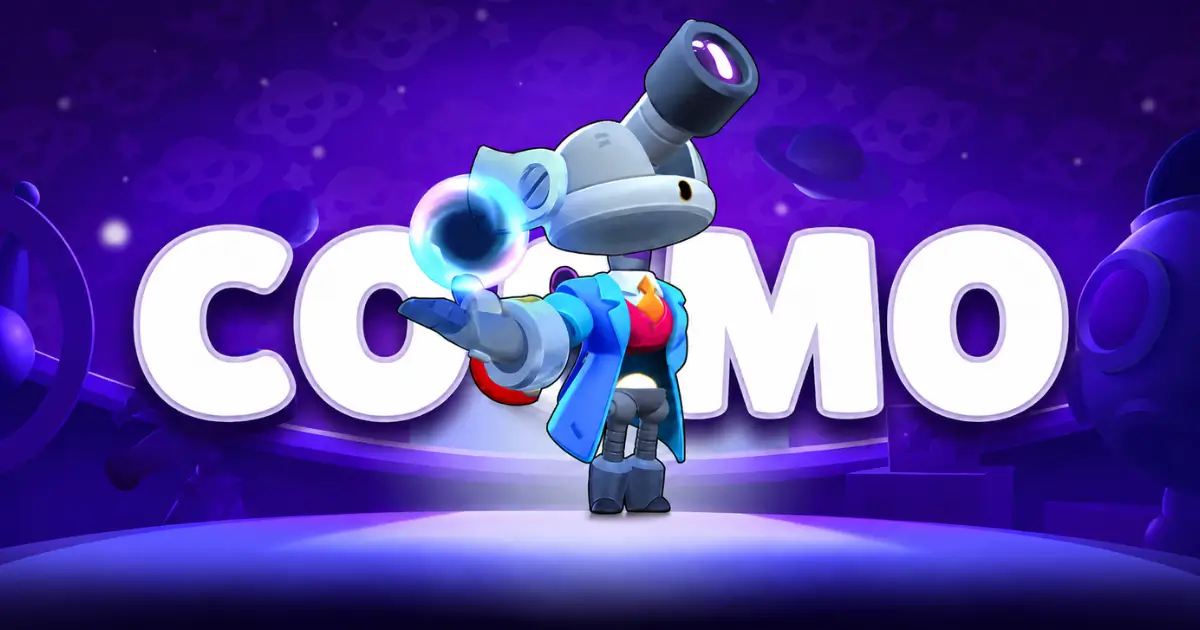
    Cosmo is set to join Brawl Stars in September 2026 alongside Vince (see our Vince build guide) as a Mythic ranged Brawler with a twist: instead of firing straight-line shots, his projectiles orbit outward the longer they travel, and his Super turns a single enemy into a magnet for your team’s incoming fire. If you’re planning to pick him up at launch, here’s the build that gets the most out of his kit — plus the modes where he shines and the habits that separate a good Cosmo from a great one.

    Note: Cosmo is still pre-release as of this writing. Gadget, Star Power, and Gear names below are based on the latest reveal and could shift slightly before launch.

    Best Brawl Stars Cosmo Build – Quick Setup

    If you only remember one loadout, make it this one: Planetary Repulsion (Gadget) + Precession (Star Power) + Damage Gear + Shield Gear. It’s the safest, most flexible combination across almost every mode, giving Cosmo the breathing room he needs at range and a Star Power that makes his unusual attack pattern easier to land consistently.

    Brawl Stars Cosmo Build for Most Game Modes

    This “default” build works because Cosmo’s core weakness — getting caught at close range — is the same regardless of mode. Planetary Repulsion buys him space when an enemy dives in, and Precession speeds up his orbiting projectiles so they’re harder to dodge and easier to place. Pair that with Damage and Shield Gear, and you’ve got a setup that holds up in Knockout, Bounty, Gem Grab, Hot Zone, and Brawl Ball alike. Swap pieces out only when a specific matchup calls for it.

    Brawl Stars Cosmo Build – Best Gadget

    Best Gadget for the Brawl Stars Cosmo Build

    Cosmo currently has two Gadgets to choose between:

    • Planetary Repulsion — knocks back enemies in a targeted area. This is the go-to pick for general play, since it directly answers Cosmo’s biggest problem: getting rushed at close range by Assassins or aggressive tanks. Use it to interrupt a dive, protect an objective, or simply create distance when you’re being pressured.
    • Telescopic Trap — reveals an area and briefly stops enemies inside it from using dashes, jumps, or other movement abilities. It’s more situational, but against a lineup built around mobility, shutting down their escape or engage tools can be a huge tempo swing.

    For most matches, Planetary Repulsion is the more reliable choice. Save Telescopic Trap for games where the enemy team leans heavily on mobile Brawlers you need to lock down.

    Brawl Stars Cosmo Build – Best Star Power

    Best Star Power for the Brawl Stars Cosmo Build

    Cosmo’s two Star Powers push him in different directions:

    • Precession — increases the speed of his projectiles, making his Main Attack easier to land and giving opponents less time to react. It also helps at longer range, where tracking the expanding orbit gets trickier. This is the better pick while you’re still learning his attack timing, since it improves the fundamental skill his kit is built around.
    • Ammo Attractor — refunds two ammo whenever Cosmo lands his Super on an enemy. This turns Gravity into more than just a setup tool; it lets you immediately follow up with extra shots on the marked target, which is especially strong when your team is already primed to capitalize.

    Precession is the safer, more consistent option overall. Ammo Attractor has a higher ceiling but depends on your team punishing the Super correctly, so it’s better suited to coordinated play than solo queue.

    Brawl Stars Cosmo Build – Best Gears

    Recommended Gears for the Brawl Stars Cosmo Build

    GearWhy it works
    Damage GearHelps close out weakened enemies and raises Cosmo’s threat in extended fights
    Shield GearAdds survivability for the moments an enemy does manage to close the gap

    Damage and Shield is the safest, most universal pairing — Cosmo wants to play at range, but he isn’t immune to pressure. A couple of situational swaps worth knowing:

    • Speed Gear helps on bush-heavy maps where quick repositioning matters.
    • Gadget Charge Gear is worth considering if you’re leaning hard on either Gadget throughout a match.
    • Vision Gear pairs well with bushy maps, letting you spot enemies before they get within striking range.

    Best Game Modes for the Brawl Stars Cosmo Build

    Cosmo’s kit rewards ranged pressure and team coordination, so his mode strength varies:

    • Knockout (S-tier): Every elimination counts, and Gravity lets your team focus fire a single target with no respawns to bail them out.
    • Bounty (S-tier): Cosmo’s lane control and Super synergy make securing star tokens much easier.
    • Gem Grab (A-tier): Strong as a lane controller who keeps enemies off your gem carrier, though he shouldn’t be the one contesting the middle directly.
    • Hot Zone (A-tier): Grouped fights around the zone give Gravity plenty of value, though staying alive while enemies collapse on the point takes practice.
    • Brawl Ball (B-tier): Usable when your team controls midfield, but the close-quarters, constant-movement nature of the mode works against his preferred spacing.

    How to Play the Brawl Stars Cosmo Build Effectively

    Cosmo isn’t a point-and-click ranged attacker — his value comes from spacing, prediction, and using his Super to set up teammates rather than chasing kills solo.

    Brawl Stars Cosmo Build Tips for Better Matches

    • Don’t fight point-blank. His projectiles grow and spread the farther they travel, so firing at close range wastes his kit’s main strength.
    • Learn to predict, not just aim. Because Orbit’s projectiles curve outward, you need to anticipate where they’ll intersect an enemy rather than firing straight at them.
    • Save Gravity for team fire. The Super is a setup tool, not a burst-damage button — it’s strongest when teammates are loaded and ready to capitalize immediately.
    • Pick your Gravity target carefully. The lowest-HP enemy isn’t always the best mark. Consider the gem carrier, the ball holder, a dangerous ranged threat, or anyone with limited mobility who can’t escape the follow-up fire.
    • Respect Assassins. Cosmo needs space to function, so keep an escape option available and stay near teammates rather than overextending after landing a Super.

    Is the Brawl Stars Cosmo Build Worth Using?

    If you enjoy Brawlers with an unconventional playstyle, Cosmo is worth trying. His orbiting attack pattern has a real learning curve, and Gravity adds a genuinely team-oriented mechanic that changes how a squad approaches fights — rather than just another way to deal solo damage.

    That said, his ceiling depends heavily on your teammates. In coordinated play, a well-timed Super can swing a fight instantly. In solo queue, his value leans more on his ranged pressure and utility than on random teammates capitalizing on his mark. Since Cosmo is still pre-release, keep an eye on official patch notes at launch in case his numbers or abilities shift before September 2026 — but based on current previews, the Planetary Repulsion + Precession + Damage + Shield build is the strongest starting point for most players.